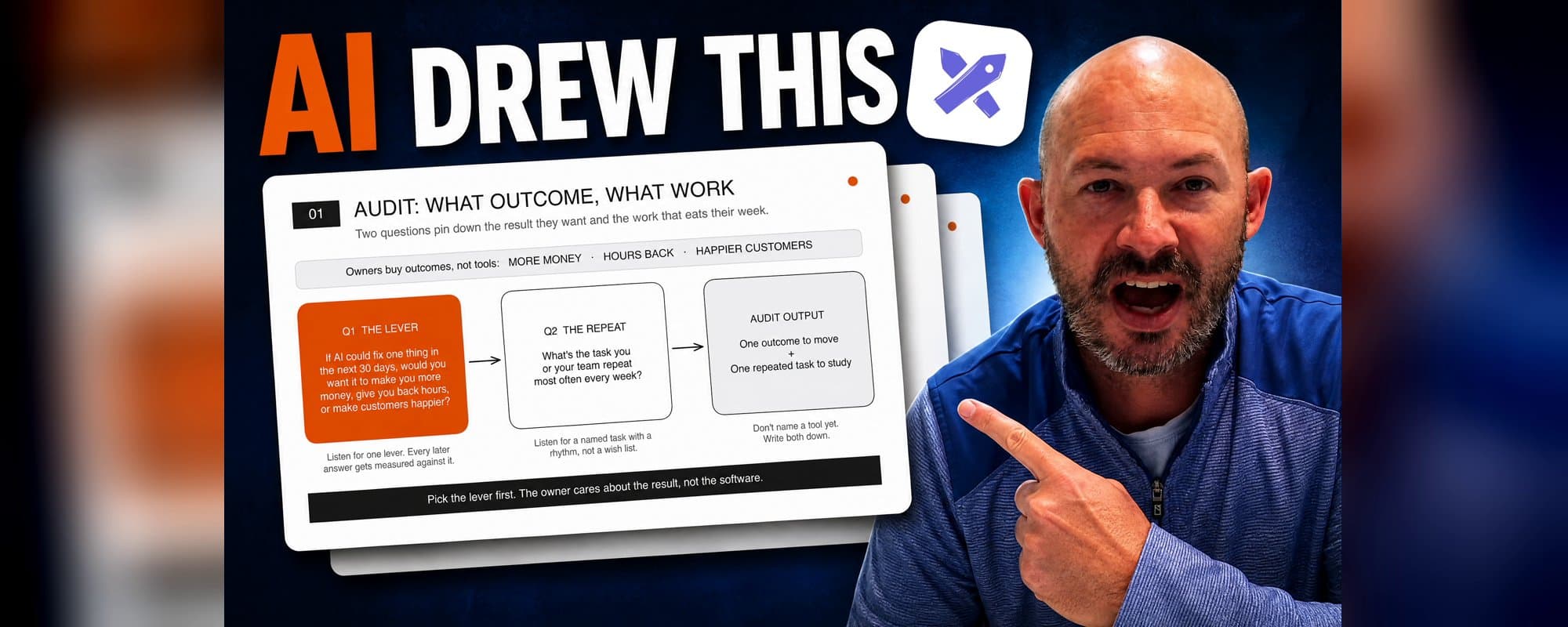
We run AI opportunity mini-assessments to build authority with business owners/operators. It runs on five questions, and it ends with one recommendation: the change that will have the most impact for the least effort.
I wanted those five questions as a presentation I could walk a client through. So I dictated one prompt to Claude and had it draw the deck in Excalidraw, an online whiteboard with a hand-drawn look. Three slides came back in our brand style, already set up in presentation mode.
Here's the prompt, the three slides, and the free skill that makes it work.
1. Ask for the outcome, not the slides
I dictated the prompt with Wispr Flow, a voice-to-text app. It told Claude to use the Excalidraw skill inside our Return My Time second brain and build a three-slide scene that walks through the five questions. One line set the frame for everything else:
"Keep in mind that business owners care about outcomes, not the individual tools themselves."
Then I asked for our existing brand templates and one slide for each part of our AOA framework: audit, optimize, automate. I switched Claude to bypass permissions, let Opus run on Medium, and paused the recording while it built.
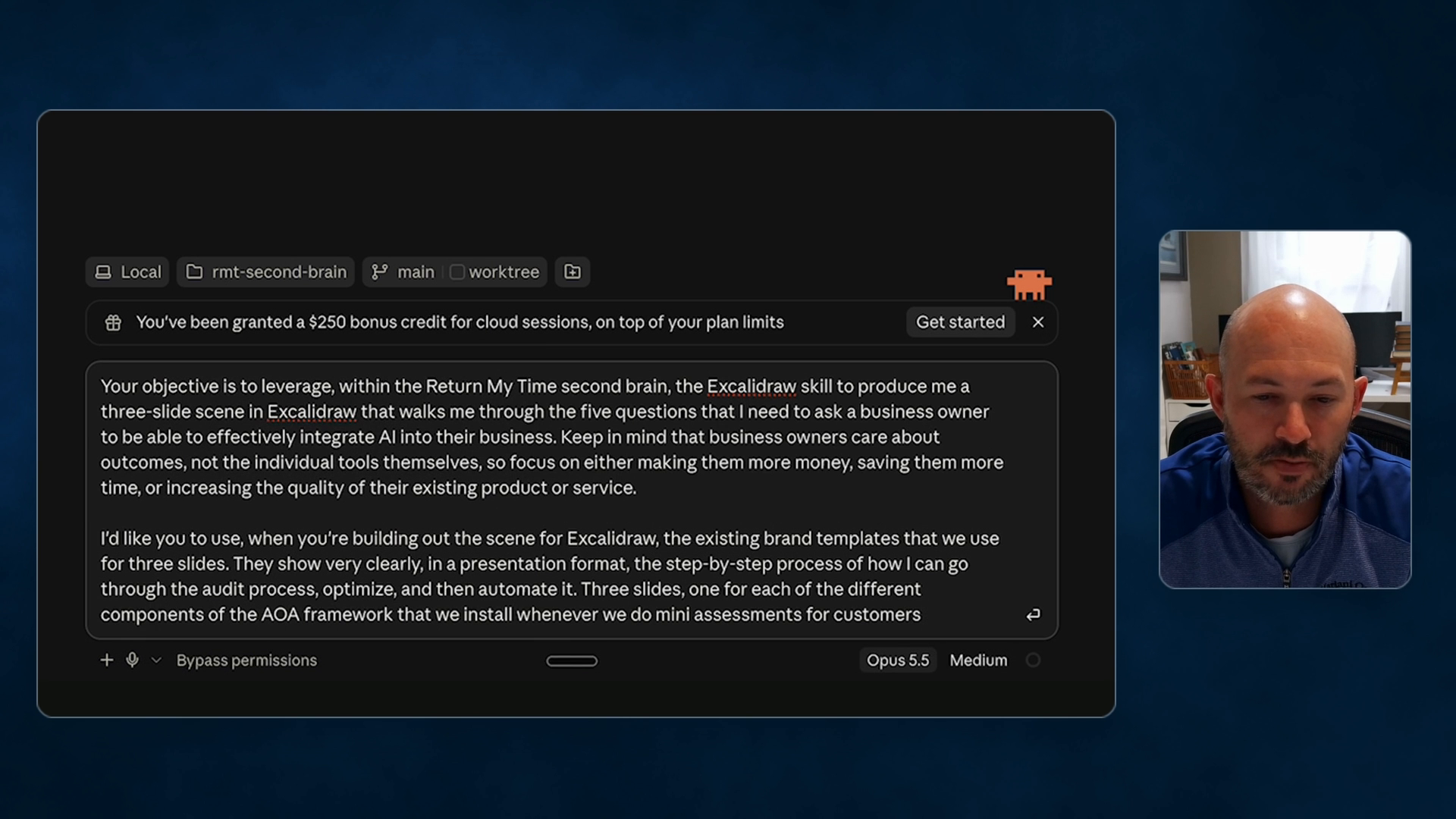
The full dictated prompt in Claude, at 3:10 in the video.
2. Why it came back on-brand
I didn't paste in any copy or style rules. The wording on the slides came straight from the AI tools assessment notes in our second brain, a folder of files that holds how our business works. Because that brain is the authoritative source, Claude pulled in our copywriting, brand voice, and styling guides on its own.
With the context already in place, I can give it outcome-based commands and let it fill in the rest. When it finished, Claude reported it had checked each slide with a screenshot.
3. Audit: pick the lever first
The first slide covers questions 1 and 2.
- Q1, the lever: if AI could fix one thing in the next 30 days, what would it be? More money, more hours back, or happier customers.
- Q2, the repeat: what's the task you or your team repeat most often every week?
That gives you one outcome to move and one repeated task to study. The slide's own takeaway: "Pick the lever first. The owner cares about the result, not the software."
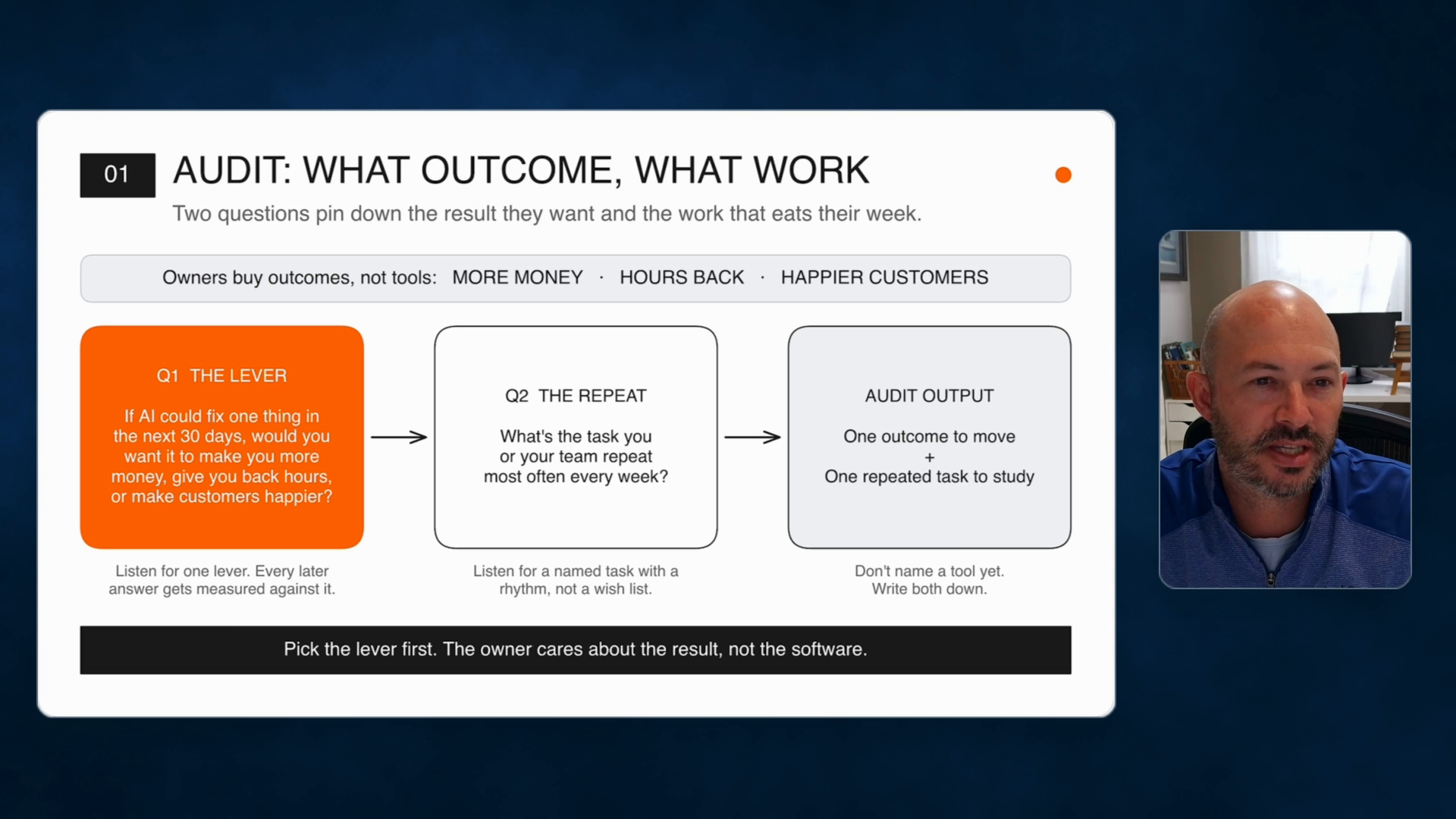
Slide 1, Audit, at 4:45.
4. Optimize: find where it breaks, then put a price on it
Questions 3 and 4 find the bottleneck and its cost.
- Q3, the bottleneck: where do things most often slow down, get stuck, or fall through the cracks?
- Q4, the cost: how many hours a week does that eat, and who's doing it?
Q4 gives you real figures, so you can show what fixing it saves or earns. A messy 12-step process often only needs the three or four steps that actually move the needle.
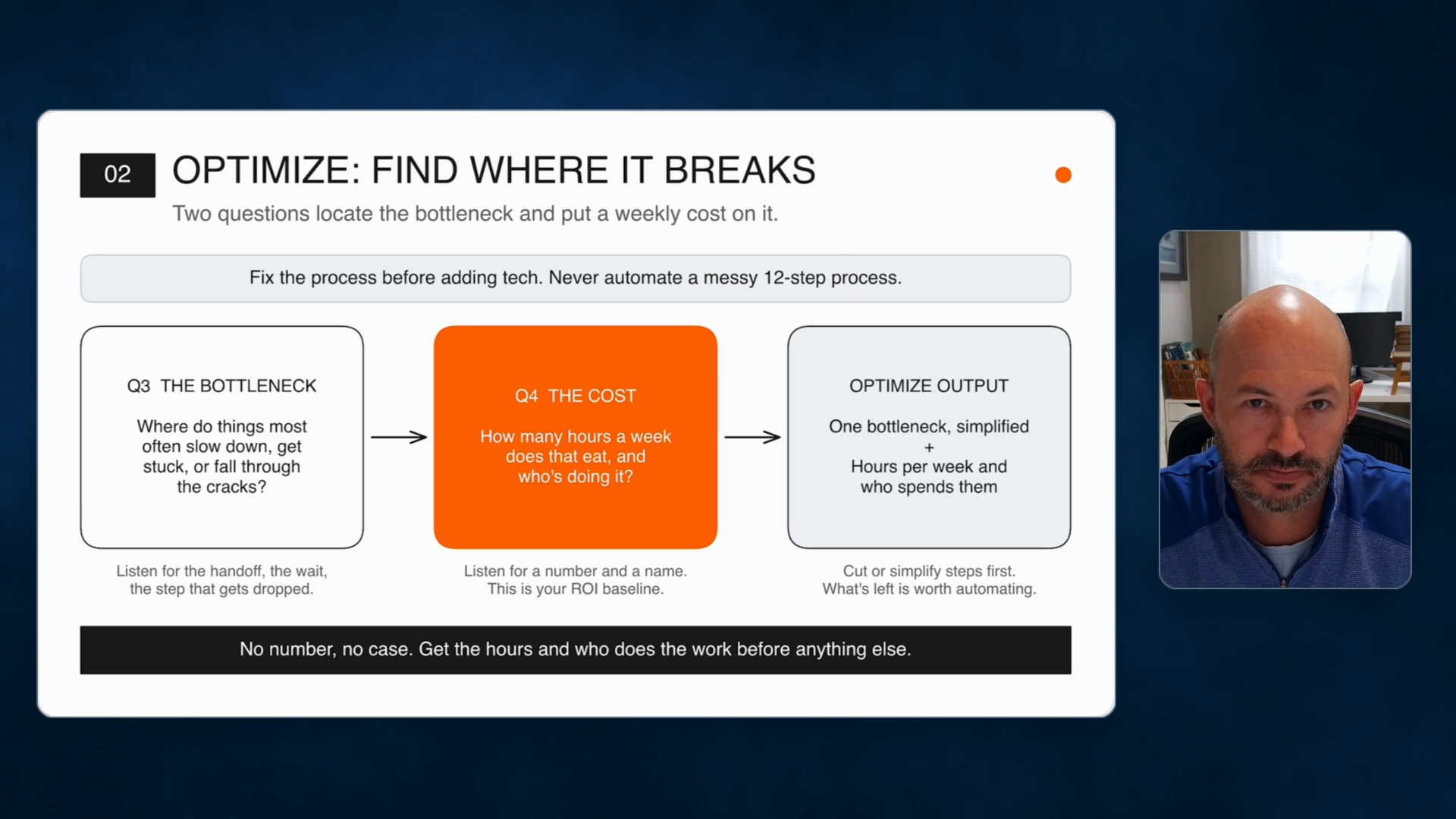
Slide 2, Optimize, at 6:40.
Most people want to skip straight to automating. Automate comes last on purpose. The last thing you want is to add technology to a process that's already messy.
5. Automate: define the win, recommend one move
The last slide has one question.
- Q5, the win: if that one thing got fixed, how would it change your life?
Anchor on the answer. Five hours of your week back, more revenue, happier customers. Then make one recommendation: a process change or an existing tool first, a custom build only if the work is repeatable. Prove it works, measured against the Q1 lever and the Q4 hours, before you layer on anything else.
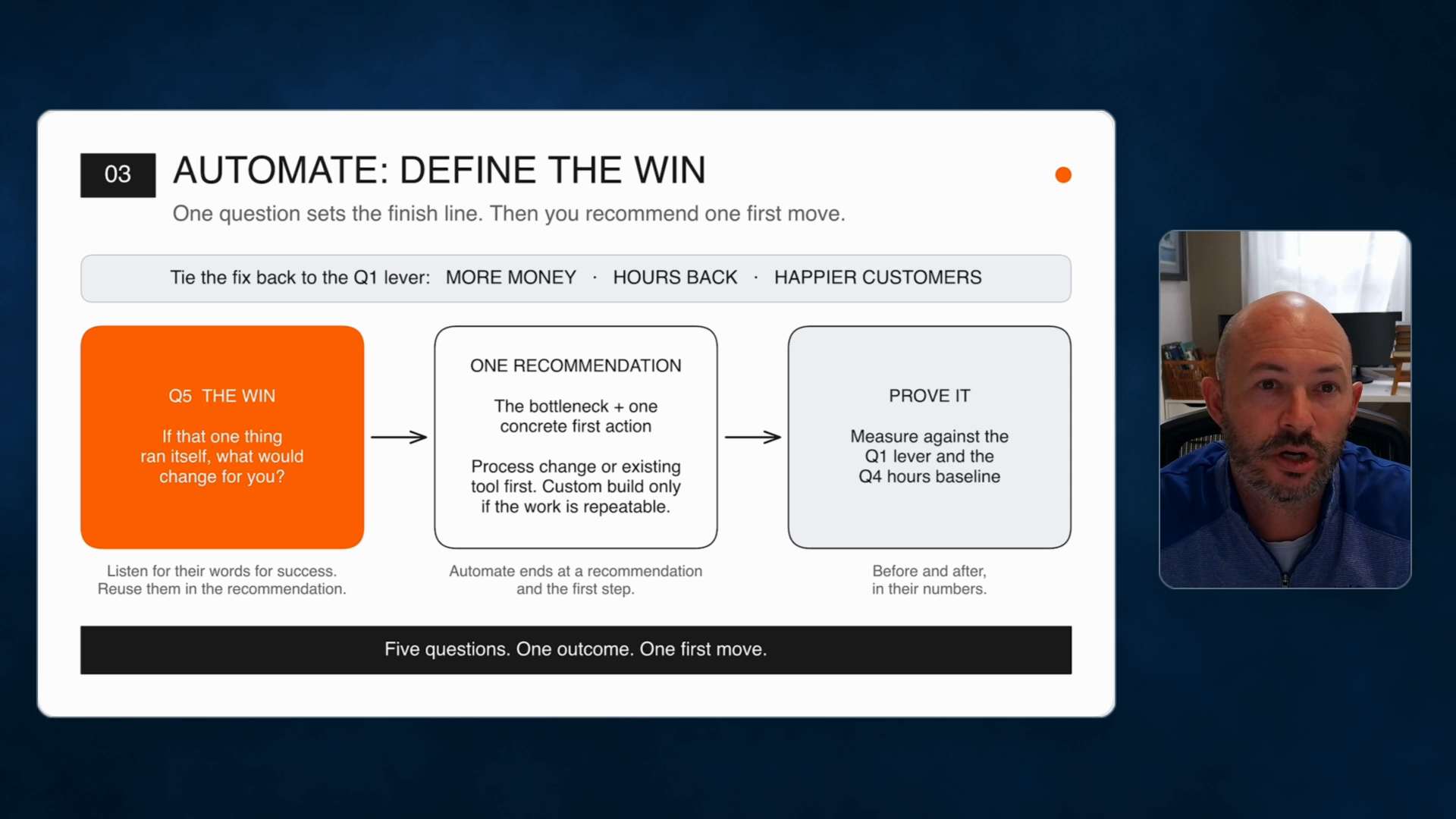
Slide 3, Automate, at 7:50.
Two ways to use it
In your own business, it's a logical path to process improvement and automation. You can answer the five questions yourself.
With clients, it becomes a proposal. Each assessment usually turns up three to five places to use AI as leverage, and each one opens the door to implementation work. Walking a team or a client through it visually is how you show you're the authority in the space.
Get the skill
The Excalidraw skill is free and open source. It teaches Claude Code or Codex to draw real Excalidraw diagrams in your own workspace, check its work with a screenshot, and hand you a link. Beyond flowcharts like this one, it covers all seventeen of Excalidraw's official use cases: mockups, roadmaps, SWOT boards, mind maps, brainstorming boards, and slide decks.
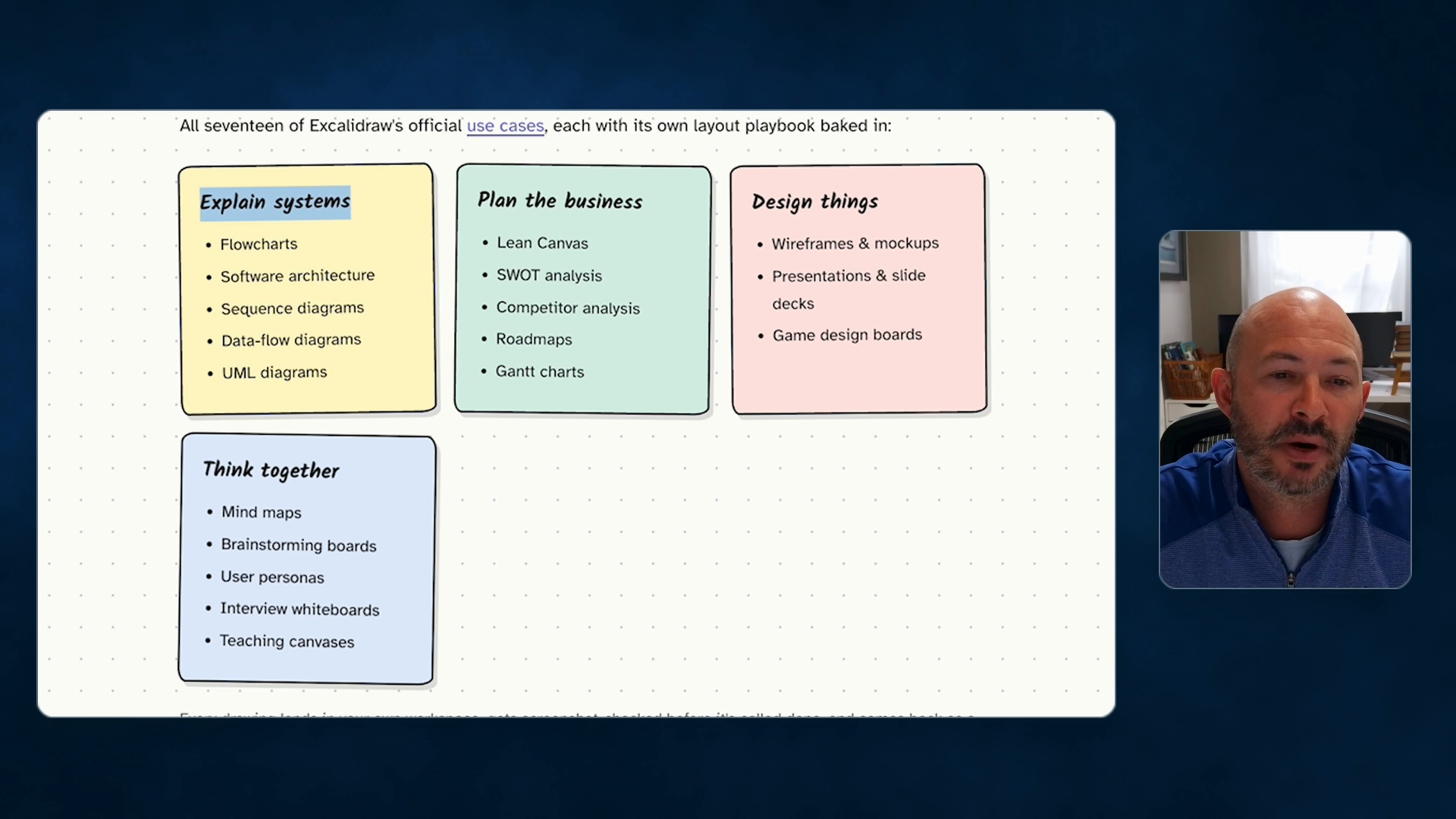
What the skill can draw, at 10:45.
- You need an Excalidraw+ account. Create an API key under Settings, then API keys.
- Install it with: npx skills add NicholasSpisak/excalidraw
- Save your key once, as the install page shows, and ask your AI for a diagram.
Watch the full video: https://www.youtube.com/watch?v=3CxJ-t65B4Y
The installation instructions are in our AI Operator Hub Free Community: https://www.skool.com/aioperatorhub/about
Start with something you already explain out loud every week. Dictate it as one prompt and see what comes back.