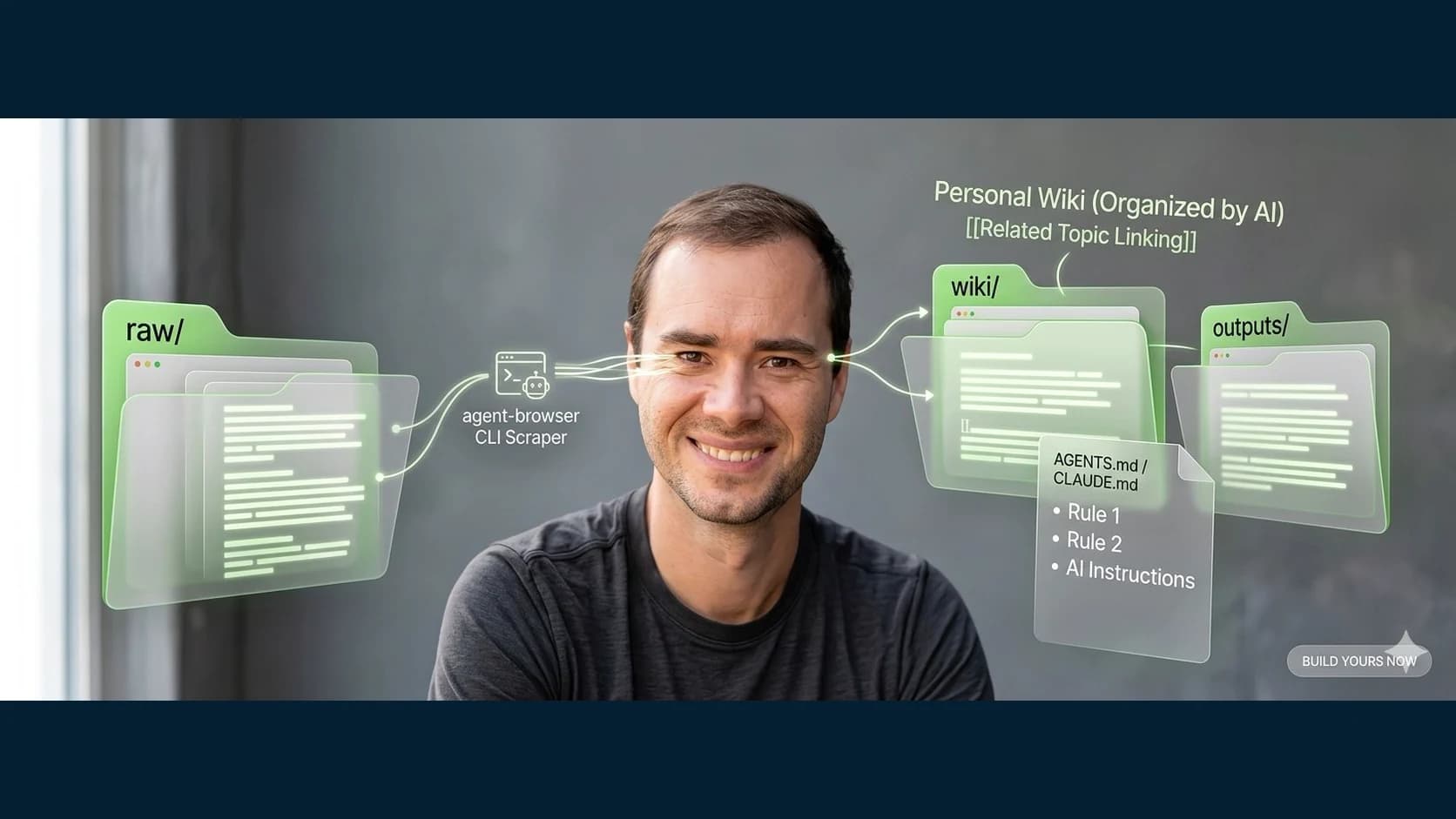
Karpathy shared a simple pattern for a personal knowledge base: a folder of Markdown files maintained with an AI agent. The idea matters because it keeps the knowledge portable and inspectable. Here is the workflow I use to turn that pattern into an operating system.
1. Create three folders (2 minutes)
Open your terminal or file explorer. Create a project folder anywhere on your computer. Inside it, create three subfolders:
my-knowledge-base/
  raw/          (your source material - articles, notes, screenshots)
  wiki/         (where your AI will write the organized version)
  outputs/      (answers, reports, and research your AI generates)
That's it. The raw/ folder is your junk drawer of source material. The wiki/ folder is where the AI turns that mess into something organized. The outputs/ folder is where answers to your questions live.
No apps to install. No accounts to create. Three folders.
2. Fill your raw folder (10 minutes)
This is where most people stall. They create the folders and then stare at an empty raw/ directory wondering what to put in it.
The answer is approved material you will actually use. Copy owned or licensed articles into .md or .txt files, preserve links to public sources, export notes from tools you control, and add meeting notes or project documents only within their privacy and access rules. Do not turn “collect everything” into permission to scrape private or copyrighted material indiscriminately.
Don't organize it. Don't rename anything. Don't clean it up. That's the AI's job.
In my own content work, the raw layer includes owned writing, research, and exported analytics. That is an example of the source mix, not a corpus-size target. The right amount is whatever you can review and maintain.
3. Automate source collection with agent-browser (optional but powerful)
Vercel Labs publishes agent-browser, a browser-automation CLI. Verify its current installation and authentication guidance before use:
npm install -g agent-browser
agent-browser install
That second command installs its dedicated browser. An agent can then automate pages it is authorized to access and save approved content into raw/.
agent-browser open https://some-article-you-want.com
agent-browser get text "article"
The AI opens the page, grabs the article text, and you pipe it into a file in raw/. No manual copy-paste. No browser extensions.
Browser automation can work with JavaScript-heavy and authenticated pages when you have legitimate access and configure it correctly. Authentication is not permission to copy content. Respect ownership, privacy, robots and rate limits, and each site's terms. Do not bypass access controls.
For your knowledge base, choose an approved source and ask the agent to extract only the material you are allowed to retain. Review the capture, preserve its URL and date, and reject unexpected private data. The agent should not auto-fill the vault from arbitrary pages.
4. Write your schema file (5 minutes)
This is the part most people will skip. Don't.
Create a file in the root of your project called CLAUDE.md (or AGENTS.md or README.md — the name doesn't matter, the content does). This file tells your AI what the knowledge base is about and how to organize it.
Here's a starter template you can copy right now:
# Knowledge Base Schema

## What This Is
A personal knowledge base about [YOUR TOPIC].

## How It's Organized
- raw/ contains unprocessed source material. Never modify these files.
- wiki/ contains the organized wiki. AI maintains this entirely.
- outputs/ contains generated reports, answers, and analyses.

## Wiki Rules
- Every topic gets its own .md file in wiki/
- Every wiki file starts with a one-paragraph summary
- Link related topics to each other using [[topic-name]] format
- Maintain an INDEX.md in wiki/ that lists every topic with a one-line description
- When new raw sources are added, update the relevant wiki articles

## My Interests
[List 3-5 things you want this knowledge base to focus on]
The source discussion described a deliberately simple, flat schema in an AGENTS.md file. The durable lesson is that a text file can tell the AI the organization rules without requiring a database or plugin.
This is the equivalent of what I use CLAUDE.md for across every project. It's the AI's instruction manual for your specific knowledge base.
5. Tell your AI to compile the wiki (15 minutes)
Open Claude Code (or Cursor, or any AI coding tool that can read your files). Point it at your project folder and say:
Read everything in raw/. Then compile a wiki in wiki/ following the rules in CLAUDE.md. Create an INDEX.md first, then create one .md file per major topic. Link related topics. Summarize every source.
Then step away. Let it work.
When it's done, you'll have a wiki/ folder full of organized articles — connections you didn't see, summaries of things you forgot you saved, and an index file that makes everything searchable in seconds.
The important thing: you don't edit the wiki by hand. That's the AI's job. You read it, you ask questions against it, and the AI keeps it updated.
6. Ask questions and save the answers (ongoing)
Once your wiki has 10+ articles, start asking questions:
Based on everything in wiki/, what are the three biggest gaps in my understanding of [topic]?
Compare what source A says about [concept] vs what source B says. Where do they disagree?
Write me a 500-word briefing on [topic] using only what's in this knowledge base.
The AI reads across your entire wiki and gives you answers grounded in your own collected material.
Save those answers back into the knowledge base. Drop the output into outputs/ or have the AI update the relevant wiki article with the new insight. Every question makes the next answer better. That's the loop.
7. Run a health check (monthly)
Tell your AI:
Review the entire wiki/ directory. Flag any contradictions between articles. Find topics mentioned but never explained. List any claims that aren't backed by a source in raw/. Suggest 3 new articles that would fill gaps.
A reply in the source discussion pointed out that filing outputs back into the knowledge base can compound errors. That is the risk: if the AI writes something slightly wrong and you save it back, the next answer builds on the mistake.
The fix is simple: run periodic health checks.
8. You don't need Obsidian (but you can use it)
Half the replies to Karpathy's post were people pitching Obsidian plugins. There are already three startups building dedicated tools for this.
The source discussion described the setup as simple and flat: a nested directory of Markdown files. I preserve the underlying design without presenting an unresolved post as a precise quotation.
A folder of text files and a schema file is the entire product.
I run my whole knowledge system from the terminal with Claude Code. You could use VS Code. You could use Obsidian. You could use Notepad. The AI doesn't care what app you open the files in. What matters is the folder structure and the schema.
Obsidian can be useful, but it is optional. In my work, flat files and a clear schema are often easier to audit and maintain than a heavily customized tool stack. Choose the interface that helps you use the knowledge without hiding its provenance.
Stop shopping for the perfect tool. Start building.
That's the full system. Three folders, one schema file, a browser scraper, and an AI that maintains everything.
The difference between bookmarking the pattern and benefiting from it is operating the loop. Pick a topic. Create the folders. Add approved sources. Review what the AI compiles, and run the health check before treating it as truth.