I rebuilt the Capstone Brands website on camera without writing code. I talked to AI agents, picked between options, and approved a plan. The typing was mostly pasting one command into a terminal.
The hard part was design. A lot of websites made with AI look the same. They come from the same training set, and by now most people can tell when a site was made that way.
Here is the workflow I used, in the order I used it.
Give your agent real design references
Mobbin is a library of real, well-designed apps and sites, organized by industry and by component. It has an MCP server, which lets your AI agent search that library in plain language.
Setup was one command. On Mobbin's MCP page I picked my tool (Claude Code, Cursor, Codex, and v0 are all supported), copied the command, pasted it into a terminal, and logged in through the browser window it opened.
Then I dictated one prompt. I asked the agent to get familiar with the Capstone site, read our knowledge base to understand the ideal customer, and use Mobbin to find the components that fit that customer. It came back with five component ideas, each tied to a real reference, and a recommended page order.
I let it build mockups from that. When I compared them with the site already in production, I thought production still looked better. So I kept the inspiration and moved on. Expect that to happen.
Build a design system before you build a site
Claude Design takes your GitHub repository and your references and turns them into palettes, typography, UI kits, and full mockups that use your real copy.
I linked the Capstone website repository and uploaded one image with nine design directions. I had worked those out earlier in a ChatGPT session using Pinterest references, things like an old money luxury look and Apple-style glass. Then I dictated a short brief asking for a mockup of each of the nine, using our exact existing copywriting.
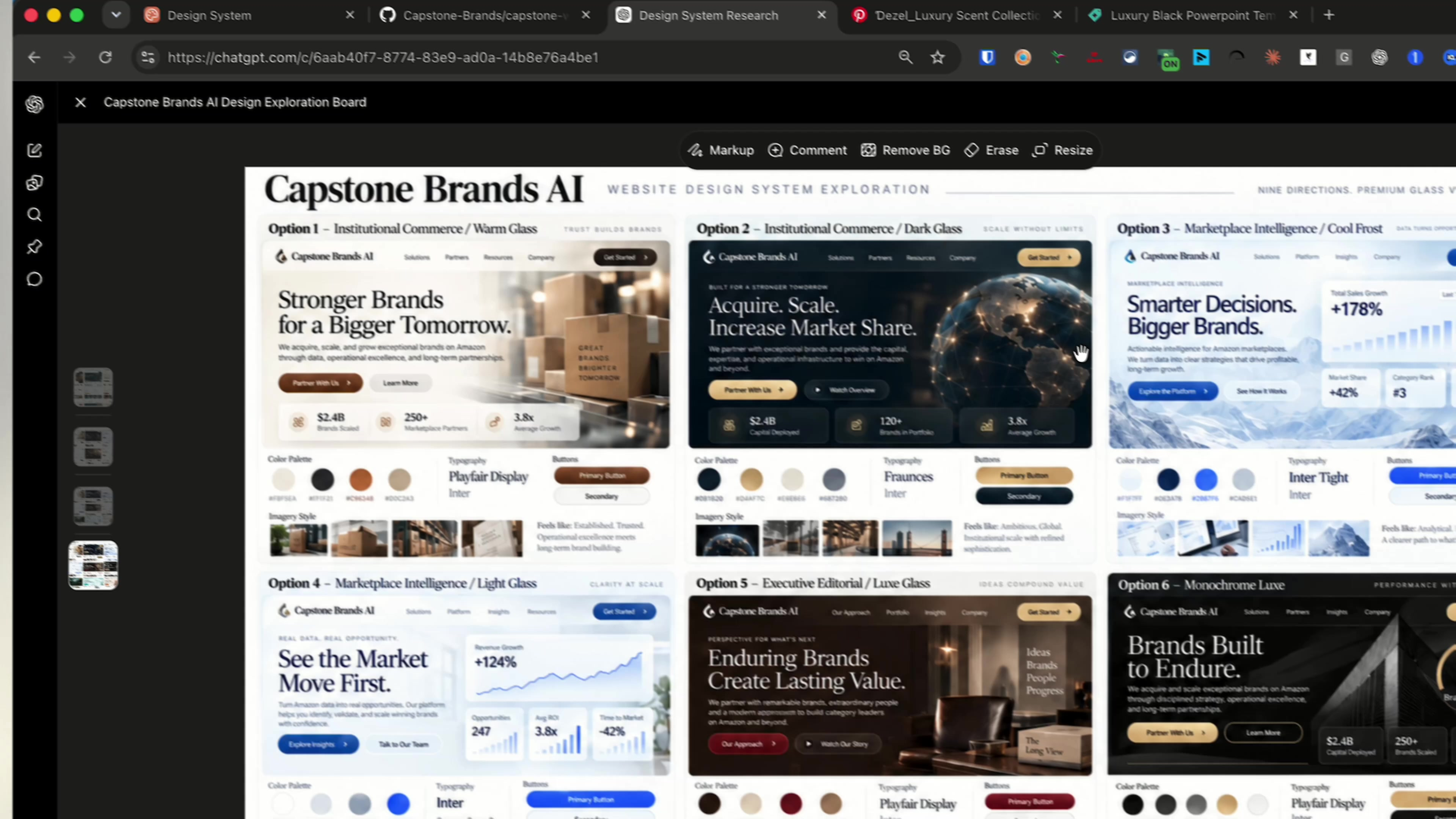
The nine design directions I gave Claude Design as a single reference image.
Nine options took about 15 minutes to generate. I didn't love any of them. They still looked vibe coded.
That is the meat of this exercise. You iterate until you find your own taste.
What fixed it was a real reference. I liked how the Slash website looks, and on styles.refero.design you can copy a real site's design spec, including its Tailwind configuration, CSS variables, and design tokens. I pasted those into Claude Design and it produced five variations. I opened them in Present mode, compared them side by side, and picked the fourth because it had a dashboard we can reuse for client audits.
Hand it to a coding agent and answer its questions
In Claude Design, Share, then More formats, then Send to Claude Code gives you a prompt to copy. I pasted it into Claude Code desktop inside the website folder and asked it to use the Superpowers brainstorming skill to clarify requirements, write the design, write the plan, and then build.
It asked me multiple-choice questions before it touched anything. I mostly took the recommended answers. This is where human taste goes in. You say what you want and what you don't want, and the agent does the rest.
One step was technical. Claude Code needed permission to read the design project, so I opened a terminal, ran the design login command it asked for, and approved it in the browser. After that I approved the spec and the plan and came back when the build was done.
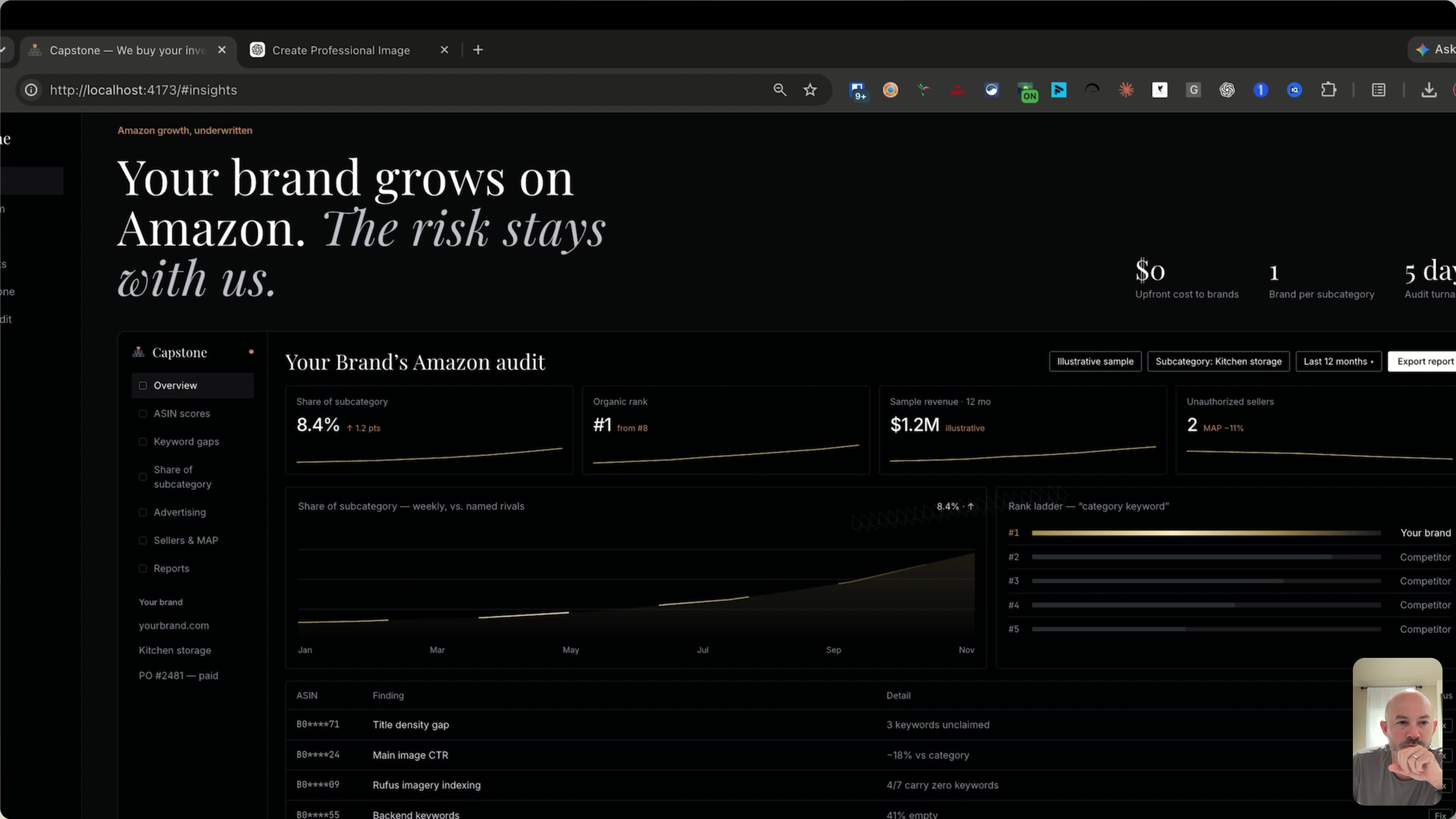
The rebuilt Capstone Brands site running locally, before touch-ups. The dashboard figures are sample data.
Polish, then host it
I pulled the site up locally and checked the mobile view. One graphic looked rough, so I had ChatGPT's image generator make a cleaner version and told Claude Code to make it look more like that. From there it's a bunch of touch-ups.
For hosting I use Vercel. You sign up with GitHub, give it permission to your repository, and it deploys a preview you can look at. If you own a domain, you connect it there. After that I tell my agent to commit the change, open a pull request, merge it, and deploy. Preview deployments let me see a change before it goes to production.
So is it the easiest way?
The building part needs no code. Every step was a prompt, a choice, or an approval.
The design part still takes a person. My first nine options missed, and the one that worked came from a real site I already liked. If you try this, spend your time there: collect references you like, feed your agent real examples, and keep iterating until the site looks like your business.
I put every step and the prompts I used into a free checklist. You can get it inside the AI Operator Hub, my free Skool community: Join the AI Operator Hub
Watch the full build
The full video shows every screen, including the parts that didn't work the first time: Is This the Easiest Way to Build a Website in 2026?
If you build a site this way, tell me in the YouTube comments which step slowed you down.