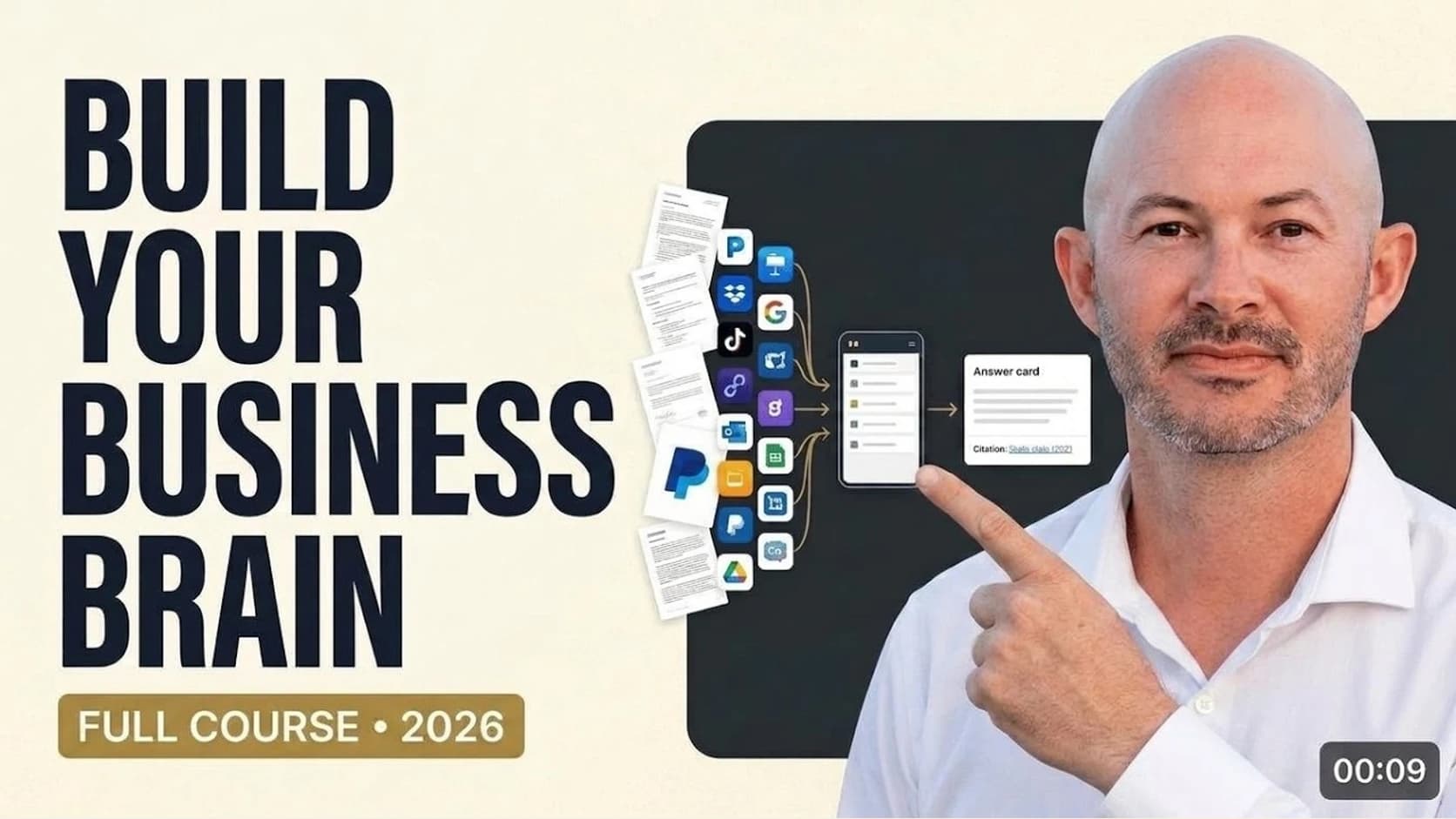
At the end of this course, I ask an agent in Slack who Capstone Brands' ideal customer is. It reads the company's second brain, answers in the thread, and cites the file it used.
Getting there takes a few separate pieces. The business needs a place to keep its knowledge, a way to connect its existing apps, and instructions that tell the agent where to look. Then we need to test whether it can answer a real company question.
I recorded the build across 13 lessons on YouTube, using Capstone Brands, one of my businesses, as the example. Capstone works with e-commerce brands, with a particular focus on Amazon. You can follow the same sequence with your own company's documents, customers, and operating procedures.
This guide follows the whole build. Each section links to its lesson, including the moments where I had to correct the agent. The software screens reflect the recording; the checks give you a way to follow along even when a menu changes.
1. Choose a business question before setting up the tools
The opening lesson lays out the path from an empty repository to a managed agent. We create the business's workspace, add a knowledge template, connect data sources, capture information, and test answers before putting the agent in front of the team.
For Capstone, two questions carry through the demonstrations. What meetings are on the calendar? Who is our ideal customer? The first requires access to a live business app. The second requires the company's own written knowledge.
Pick questions you already know how to answer. You'll need that reference when you review the agent's response. A readable answer alone won't tell you whether the agent used the right account, found the right document, or guessed.
The initial second brain is a set of files and folders. The useful work is deciding what belongs in those files and whether the agent can find it when you ask.
2. Put the business in charge of its GitHub organization
In lesson two, I create a GitHub organization for Capstone Brands. That gives the business a place to manage its repositories and membership.
GitHub also keeps a history of committed changes. You can inspect what changed, who committed it, and when. For a business knowledge base, that history helps you review an updated procedure or understand why a customer definition changed.
If you're setting this up for a client, use their business as the organizational home. Decide who on their team should have access. In the recording, I create the organization and walk through the member invitation step before moving on to the knowledge base itself.
You can finish this lesson with an organization and no company documents uploaded yet. Ownership comes first in the build because everything that follows will live under it.
3. Create the repository that will hold the second brain
The organization is the home for the business's work. A repository is the particular collection of files we're going to build inside it.
In lesson three, I create the Capstone Brands Second Brain repository. It starts empty. I give it a name that identifies both the company and its purpose, so I can recognize it later in GitHub Desktop, Codex, and the managed agent.
For your business's internal knowledge, create a private repository and check its access settings before adding documents. The course's repository lesson gets you to the blank starting point; you still need to decide which people should be able to read or change your company's material.
At this stage, an empty repository is the expected result. We'll add the structure after we have a local copy to work with.
4. Bring a copy onto your computer with GitHub Desktop
Lesson four walks through GitHub Desktop. I sign in, authorize access, select the repository, and clone it onto my machine. Cloning means creating a local copy.
That local folder is what we'll open in Codex. GitHub hosts the shared repository; Codex works with the files on the computer. Knowing where that folder lives makes the next step much easier.
Use the desktop app to open the folder and confirm that you've selected your business's repository. The course starts from an empty one, so there's very little to inspect yet. Later, the same view will show the folders and documents the agent creates.
Fetching checks for remote changes; pulling brings those changes into your local branch. Check for updates before asking an agent to edit a shared knowledge base.
5. Give Codex the template and a concrete build request
In lesson five, I create a Codex project using the repository's local folder. I attach the knowledge-base ZIP archive referenced in the course resources and dictate the build request.
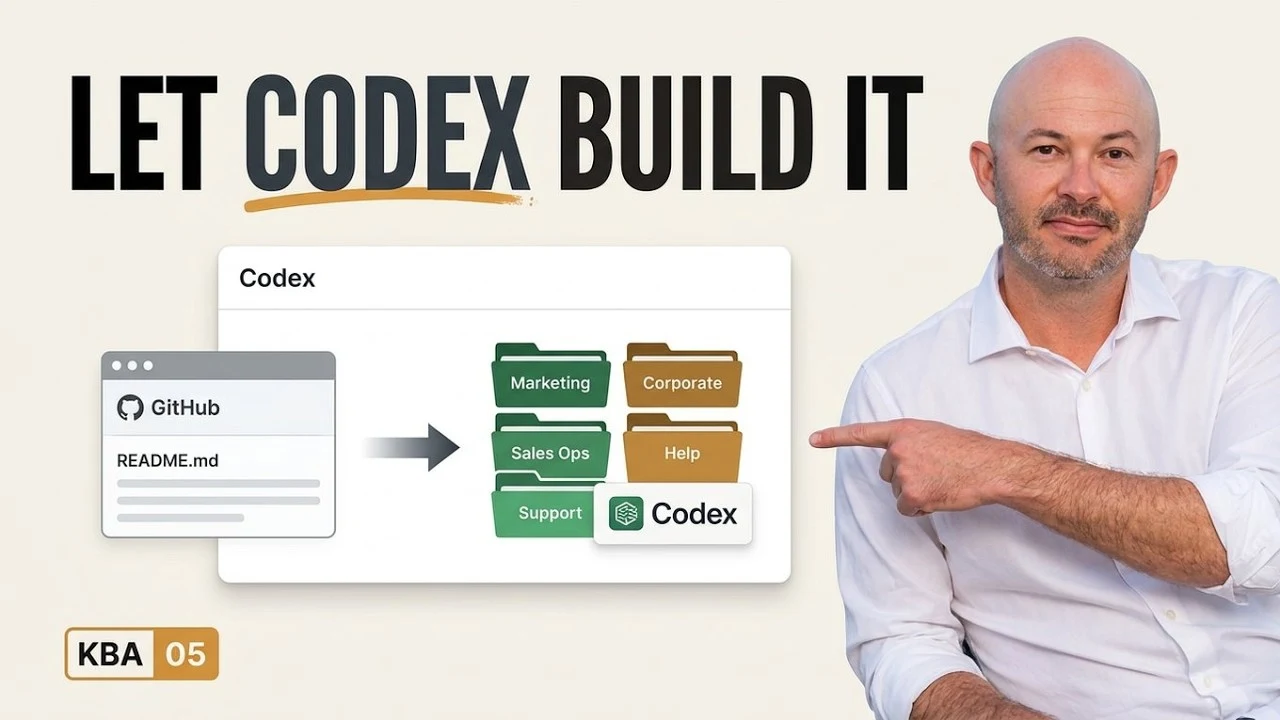
The request identifies the archive, the business, the working directory, and the intended result. I ask Codex to review the archive, set up its contents in the Capstone repository, and commit and push the initial build to GitHub.
Codex can inspect the supplied archive and put its files in the repository. I can then review those files in GitHub.
If you're following along with your own template, check that Codex is working in the correct folder before giving it the archive. After it finishes, open the repository and inspect the files. In the recording, this is the first build into an empty repository; I discuss using feature branches for subsequent changes.
The archive supplies a starting structure. It still needs the company's actual knowledge, which we add through the later capture and validation steps.
6. Organize knowledge around five business functions
Lesson six reviews what Codex created. I start with the README, which explains the repository and how to use it, then walk through the five business functions I use to organize the knowledge base.
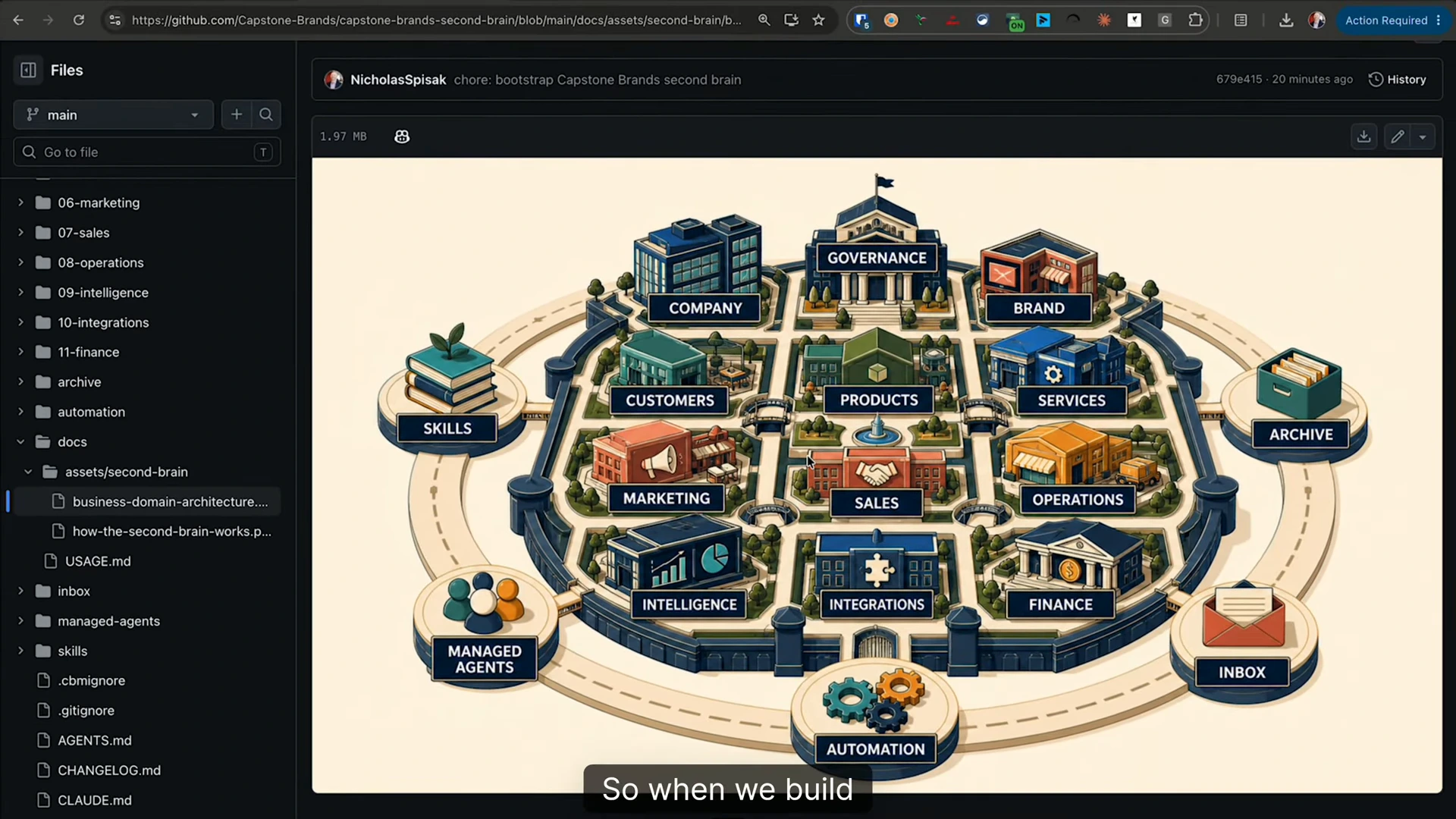
The structure covers sales, marketing, intelligence, finance, and operations. Around those functions, I include supporting knowledge such as company standards, data owners, brand information, and the ideal customer profile.
A customer profile needs enough detail to support a decision. In the later demonstration, that includes who fits, who doesn't, buying triggers, and qualification notes. An agent answering a sales question needs those details to explain the company's criteria.
The same applies to recurring work. Once you document a standard operating procedure, you can consider turning it into an agent skill: reusable instructions for carrying out that procedure. The repository gives you somewhere to keep both the company context and the process.
Before moving on, read the README and inspect the structure. You should be able to explain where your customer knowledge and operating procedures belong. Empty folders are still work to do.
7. Connect the apps that hold your business data
In lesson seven, I set up Composio and walk through its app connections. The examples include Gmail, Google Calendar, and Google Drive.
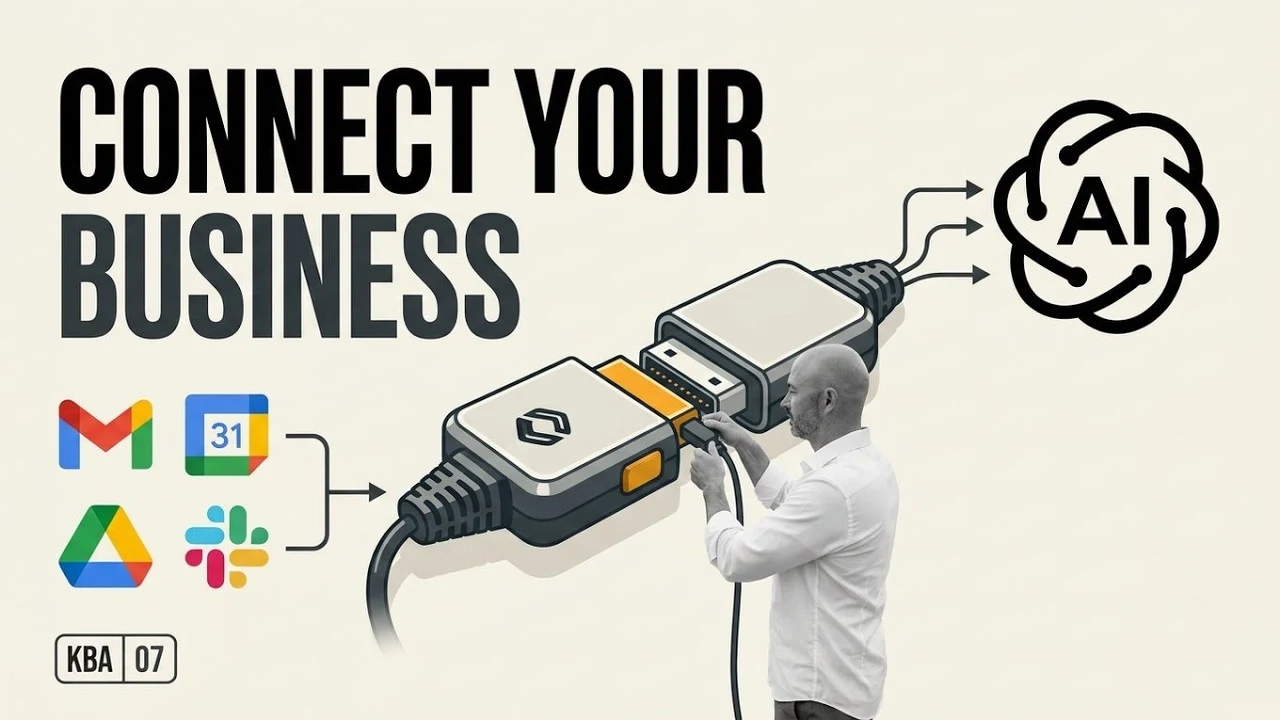
The source information can stay in those services while the agent accesses it through a connection. Later, you can ask the agent to collect relevant material and organize it into the second brain. Connecting an app and writing useful knowledge into the repository are separate steps.
I also explain how the account owner can authenticate their own connection. If you're building for another business, that lets their users complete sign-in themselves. Choose the accounts and apps based on the questions the business needs answered.
For the first test in this course, a connected calendar is enough. You don't need to finish connecting every system before checking whether the agent can read the three meetings you expect to find.
8. Make those connections available inside Codex
Lesson eight connects the agent we're using to the Composio setup. I select Codex in the installation instructions, copy the supplied prompt, and run it in a new task inside the same repository.
Although the lesson introduces API and MCP terminology, the demonstrated setup uses the Composio command-line interface, or CLI. The login opens a browser authorization step. I complete that step, then return to Codex.
There are now two things to verify: the business apps are connected in Composio, and the agent's environment can access that Composio account. A connected app in one dashboard doesn't establish the second part by itself.
Follow the installation instructions presented for your agent, complete the login, and try a small read from a connected source. We do that next with the calendar, where I know exactly which meetings should come back.
9. Test live data and stored company knowledge separately
In lesson nine, I use three meetings prepared for the demonstration: an automotive brand discovery call, a powersports brand discovery call, and a team all-hands meeting.
I ask Codex to check the calendar for the meetings. It returns the three events. That checks the live-data connection against records I can inspect myself.
Then I ask who Capstone Brands' ideal customer is. Codex answers from the company knowledge we've captured. I walk through the profile's structure, including the qualification details and metadata that help the agent locate relevant information.
These tests exercise different sources. A successful calendar lookup doesn't tell you whether the repository contains a usable customer profile. A good customer-profile answer doesn't tell you whether calendar authentication works.
Run both checks in your own setup and compare the answers with their sources. If a meeting is missing or the profile is wrong, fix that before giving the agent a broader task. These are initial retrieval checks; you'll need further tests for any additional work you want the agent to do.
10. Create a managed computer for the agent
Up to this point, I've been working in Codex on my own computer. In lesson ten, I move into Orgo and launch a Hermes agent from a template inside the Capstone workspace.
Orgo provides the computer. Hermes is the agent software running on it. In the recording, I show the workspace, the computer options, and the desktop you can open to configure the environment.
We configured access on one computer earlier. Now we need to connect the managed computer to the model, business apps, and repository it will use.
I use Hermes for this demonstration. The lesson also shows other template choices. Whichever environment you choose, verify its access there before assuming it can do the same work your local agent completed.
11. Check the connection you installed
Lesson eleven covers the model login and Composio installation inside the managed computer. I authenticate in the browser and finish setting up the CLI.
Then I ask Hermes whether it's connected to Composio. It reports that no Composio MCP server is configured.
I had installed the CLI. I tell Hermes to use that interface, read its help, and check whether I'm logged in. It confirms the login. I ask for the meetings next week, and it returns the same three demonstration events.
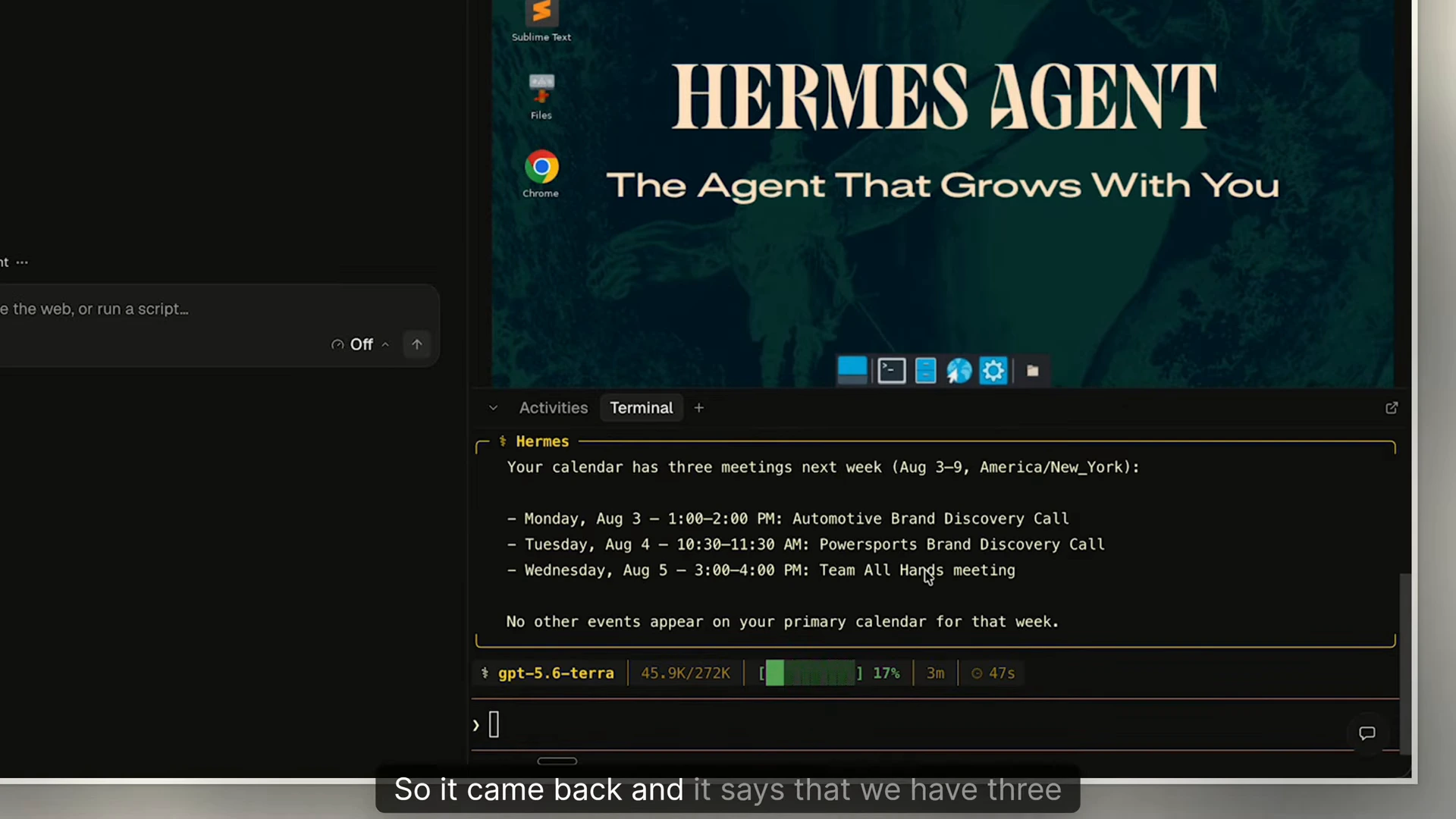
The first response described a missing interface without testing the one available. Reinstalling everything would have sent me back through work I'd already completed. Naming the installed interface let the agent perform the relevant check.
When you hit this kind of failure, ask the agent which connection it tested. Then give it a small task through the interface you configured and compare the returned records with the source app.
12. Give Hermes the repository and a source-selection rule
In lesson twelve, I ask Hermes to install the GitHub CLI and clone the Capstone second-brain repository into its environment. Once that finishes, I repeat the ideal-customer question from the Codex test.
Hermes returns the company-specific answer, but I notice that it tried the internet before consulting the second brain. Access to the repository hadn't settled where it should look first.
I correct that behavior and ask it to create a reusable skill. For Capstone company lookups, it should consult the second brain first. The instruction captures a choice I would otherwise have to explain again in another conversation.
When the agent takes a wrong turn, identify the expected behavior and save the instruction where it can use it again. Test the next answer to see whether it followed the rule.
Before connecting the team interface, repeat your company question in the managed environment. Check the answer and the file it used. The same question now lets you compare local Codex retrieval with managed Hermes retrieval.
13. Put the conversation in Slack
In the final lesson, I ask Hermes to create a Slack application, connect it to the agent, and add it to the Capstone workspace.
The setup needs my help at sign-in. Hermes reaches the login screen and stops; I authenticate in the managed computer's browser, then tell it to continue. It works through the app configuration and registration, adds the channel, and tests communication.
For the final check, I tag the agent in Slack and ask for Capstone Brands' ideal customer profile. The agent reads the second brain, returns the answer in a thread, and cites the source file in the customer directory. You can watch that check from 5:28.
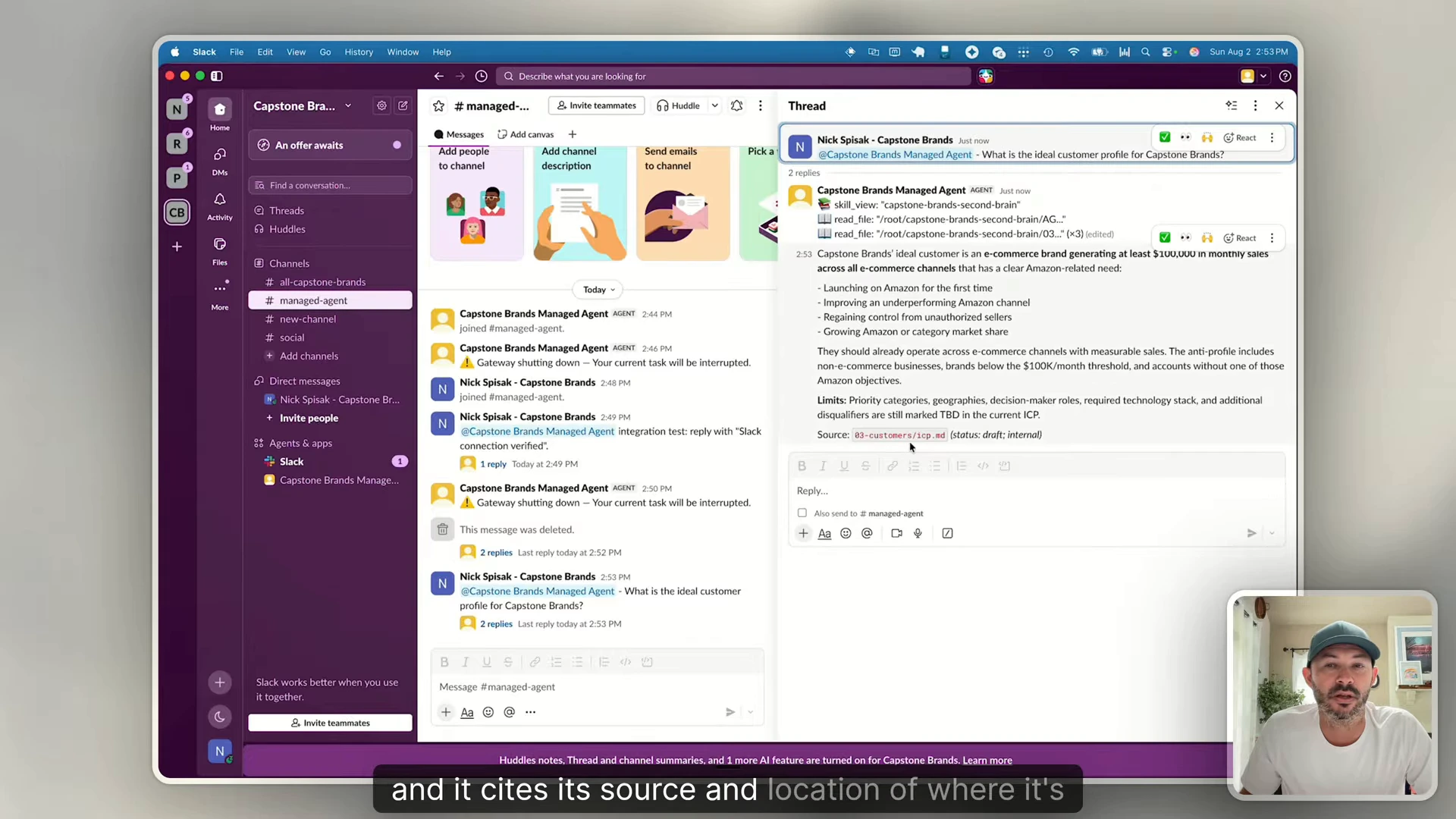
An employee can now ask the question in Slack. The repository, app connections, and managed computer support that exchange without requiring the employee to open each tool.
Start your own build with one company question and the document that answers it. Follow the course from lesson one, then use that same question to check your local agent, managed agent, and final team interface. Open the cited file each time and compare it with the answer.