Your AI can only answer questions about your business if it can read your business.
My new full course on YouTube builds that from zero for Capstone Brands, one of my own businesses. Capstone does brand management for e-commerce partners, with a specialization in Amazon. By the end, anyone on the team can tag an agent in Slack, ask "What is the ideal customer profile for Capstone Brands?", and get the answer back with the file it came from.
It's the same course that's on the channel as individual lessons, edited into one video you can watch straight through in about an hour. Here's the build in eight steps. No GitHub or terminal experience assumed.
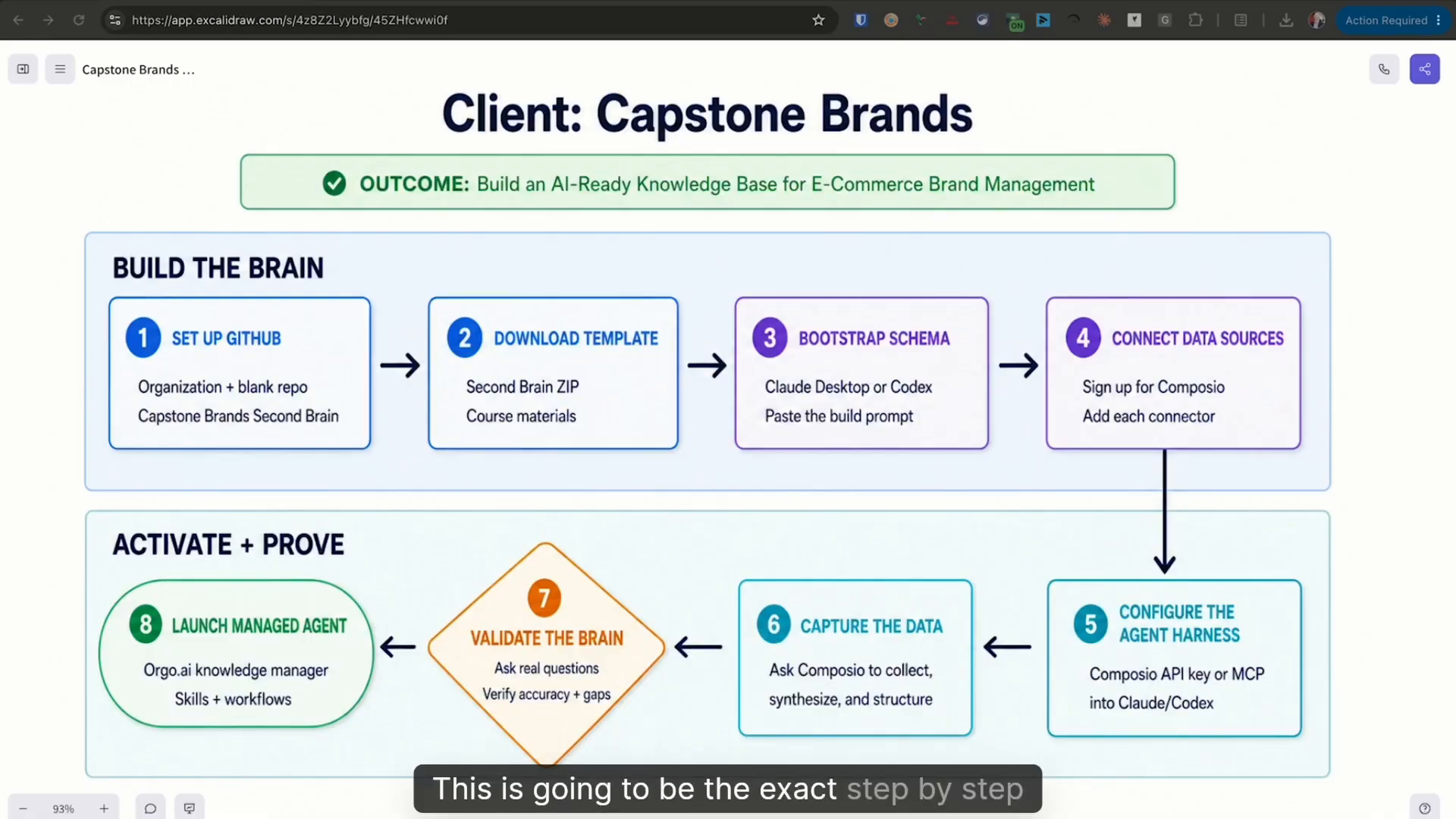
The 8-step blueprint, at 0:45 in the video.
The brain is files and folders
A knowledge base, in its most primitive form, is files and folders. Put those files in GitHub and every change gets recorded: who made it, when, and a snapshot you can go back to. That repository becomes the gold copy of what the business knows, and any agent you point at it reads from the same source.
1. Create a GitHub organization and a blank repository
Go to github.com, sign up or sign in, and create a free organization for the business. The free plan covers most of what you need. Add your team members, then create a blank repository. I named mine Capstone Brands Second Brain.
GitHub's setup page is written for developers and sends you to a terminal. Skip it. Install GitHub Desktop, sign in, and clone the blank repo to your machine. You need three buttons from there:
- Show in Finder opens the folder on your computer
- View on GitHub opens the same files in your browser
- Fetch origin pulls down any changes your team made
2. Bootstrap the template with your agent
Open the repo folder as a new project in your agent harness. I used Codex. Claude Desktop works too. Attach the AI-ready knowledge base template zip from the course resources and tell the agent what to do. I dictated mine with speech-to-text. The end of it read:
"Please review the zip archive and bootstrap it accordingly to go ahead and have the template available into the repository. After you complete all of your work, go ahead and commit your changes and push them to GitHub in the main branch."
Copying a template doesn't need the most powerful model, so I ran a lighter, more efficient one. When it finished, the whole structure was on main. Main is the gold copy. Later changes go on feature branches so they don't collide with what's already there.
3. Understand the schema you just built
The README tells the agent what the repository is and how to use it. It lays out a four-part loop: capture data from your sources, let the agent organize it, you decide which areas matter most, and the brain answers your questions.
The folders sit on five pillars every business has, whether it's Capstone Brands or a roofing company: sales, marketing, intelligence, finance, and operations. Around them are the supporting functions: company culture and standards, data governance (who owns which data), and brand, which includes your ideal customer profile.
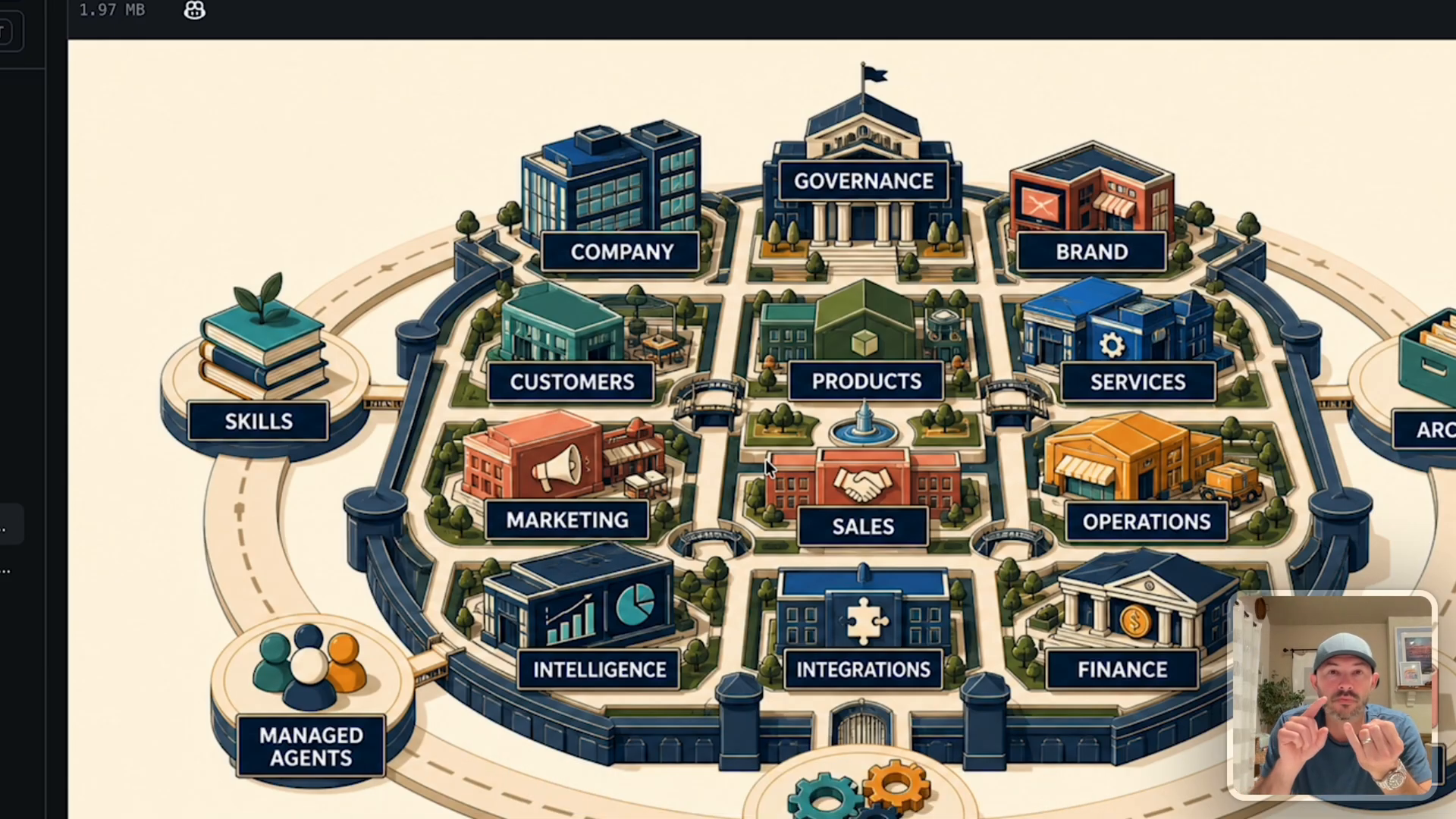
The five pillars and supporting functions, at 18:45.
Your standard operating procedures go in here too. The ones you run every week are your best candidates for AI skills, and a managed agent can run those skills later.
4. Connect your data sources with Composio
Composio (composio.dev) gives agents secure access to your apps while the data stays where it already lives. It has 1,400+ connectors and was free at the time I recorded.
If you're building this for clients, the useful part is single sign-on. You set up the account, the client logs into their own Gmail, Calendar, or Drive, and you never need their passwords. Connect what the business uses. Your discovery call tells you which connectors matter.
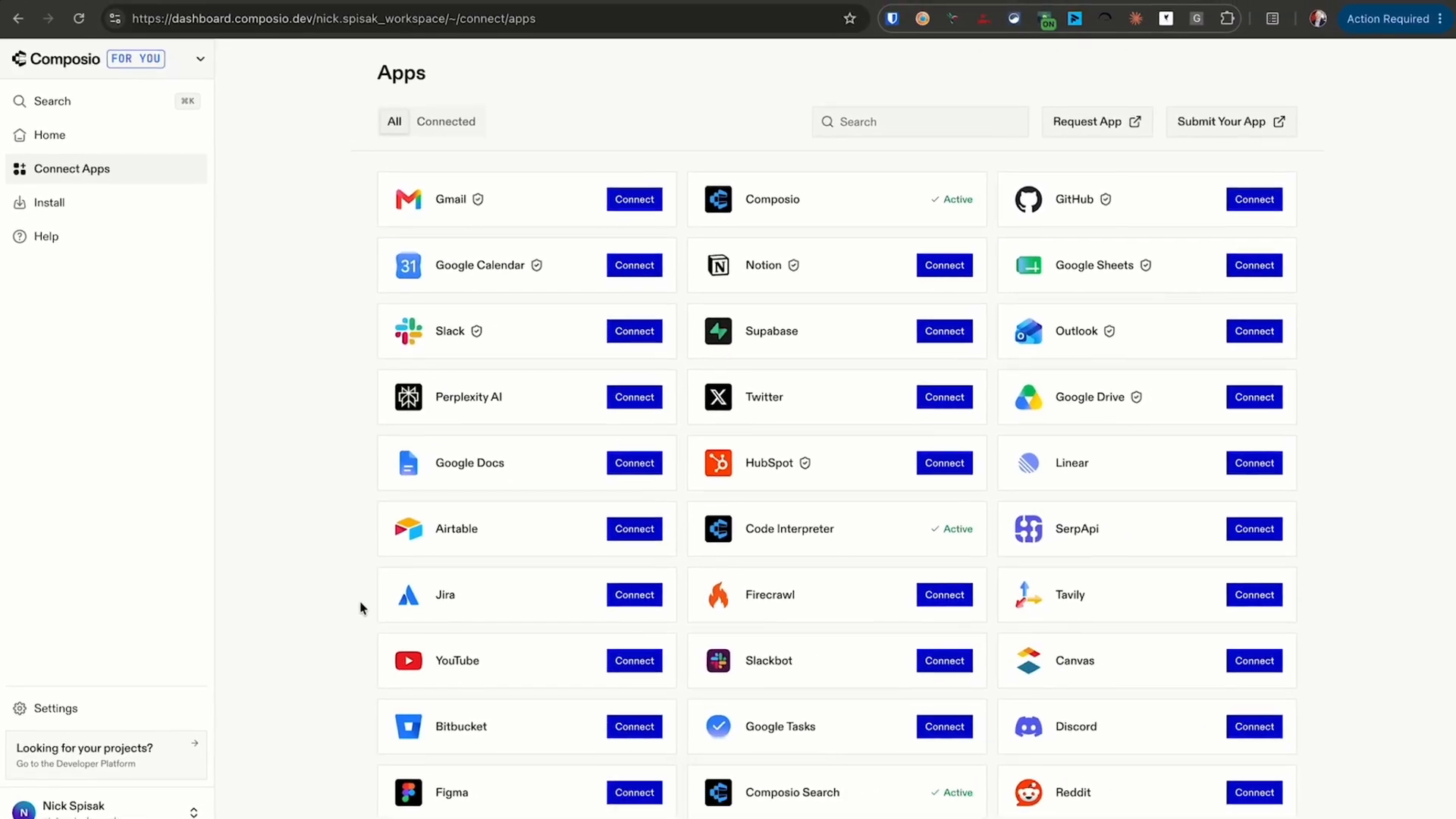
Composio's Connect Apps page, at 24:05.
5. Connect Composio to your agent
In Composio's Install section, pick your harness and click Copy prompt. Open a new chat in Codex, stay in the same repo, and paste it. The prompt installs the Composio CLI and runs a Composio login, which opens a browser window. Click Authorize.
I was already logged in, so the agent got confused. I had to bully it a little: I logged out, told it I wasn't logged in, and it finished the rest.
6 and 7. Capture the data, then prove the brain works
Capture means pulling information out of your sources, and out of conversations with the business, into the repo. When the agent writes a note, it adds metadata: tags that point to the right note when someone asks a question in plain English.
Then you validate. I put three test meetings on the Capstone Brands calendar: an automotive brand discovery call, a powersports brand discovery call, and a team all-hands. I asked Codex for the top three meetings on the books this week. It read all three back in about 1 minute 45 seconds.
The second test hit the repo itself: "Who is Capstone Brands' ideal customer profile?" It answered in 31 seconds. E-commerce brand partners generating at least $100,000 a month across all of their e-commerce channels.
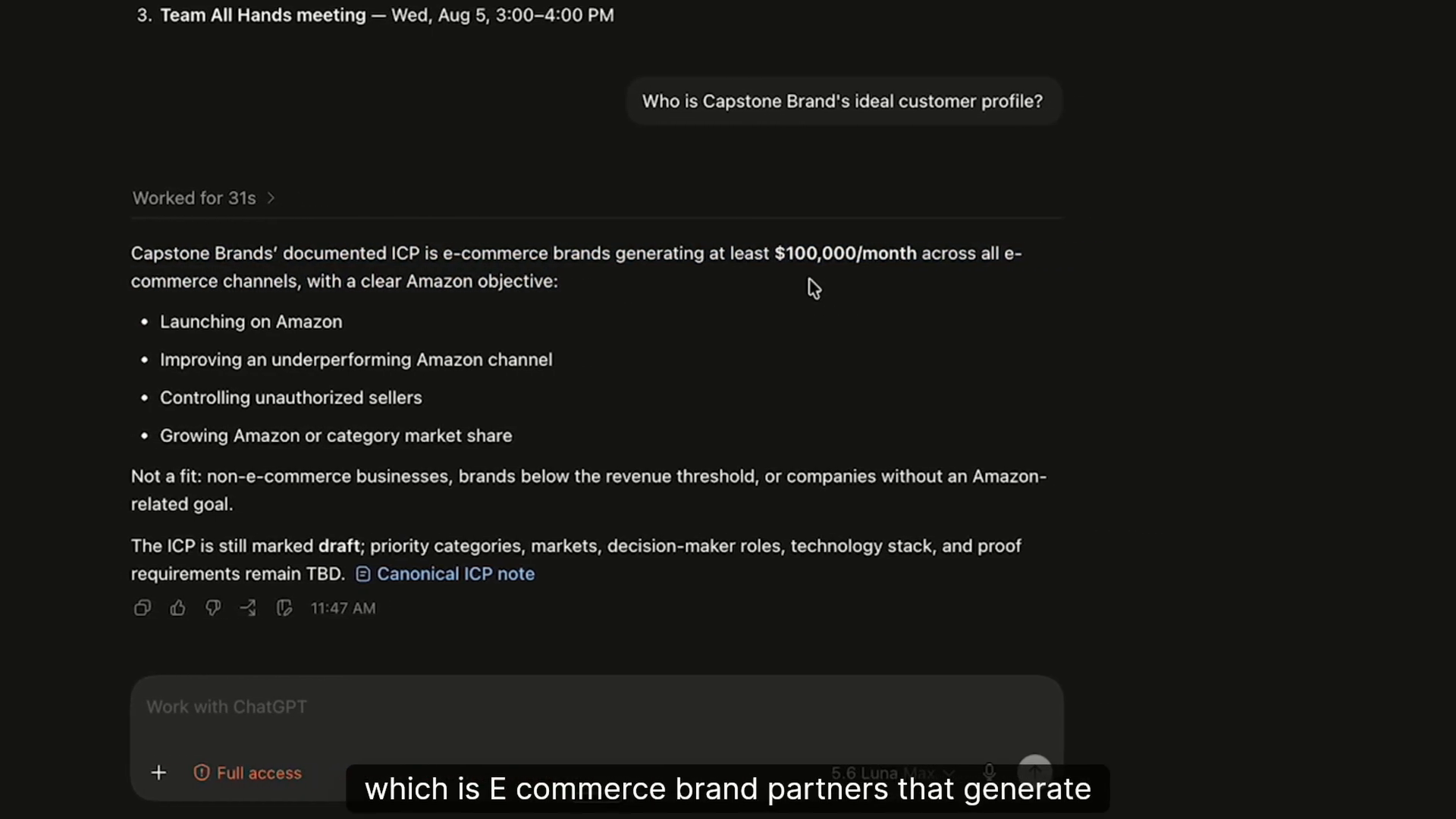
Codex answering the ICP question from the repo, at 32:05.
That answer comes from one note in the customers folder. It holds demographics, triggers, the anti-profile (who the customer is not), and qualification notes, all tagged so the agent can find them.
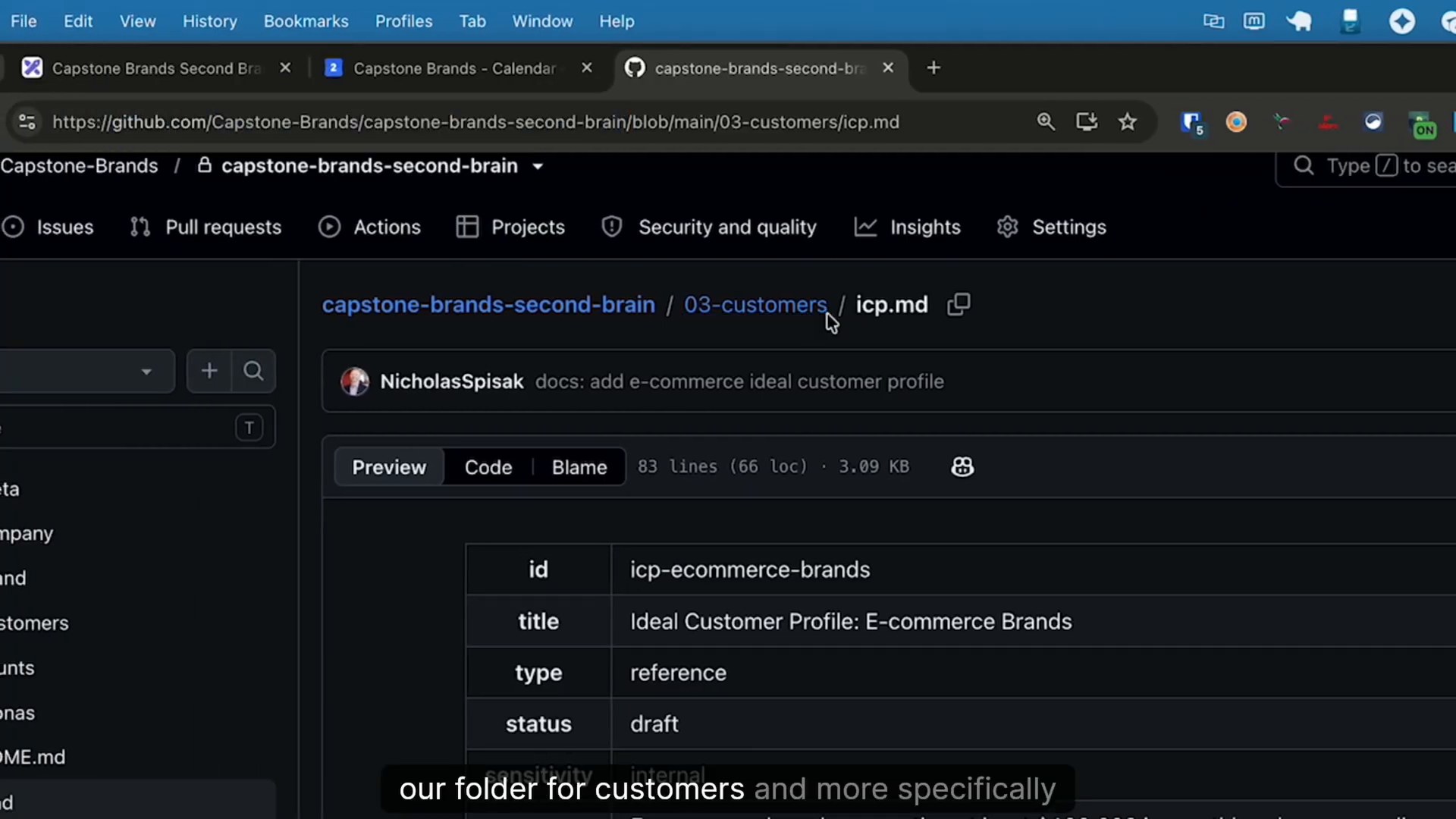
The ICP note and its metadata on GitHub, at 32:55.
Ask it questions you already know the answers to. If it gets them wrong, the brain isn't finished.
8. Move it into a managed agent
Codex on your laptop answers your questions. A managed agent lets your team or your client get answers on their own. Orgo (orgo.ai) is the computer for agents: a managed machine inside a shared workspace, so you're not running your own infrastructure. It ships templates for Claude Code, OpenClaw, and Hermes Agent. Hermes is what we use for our managed agent clients.
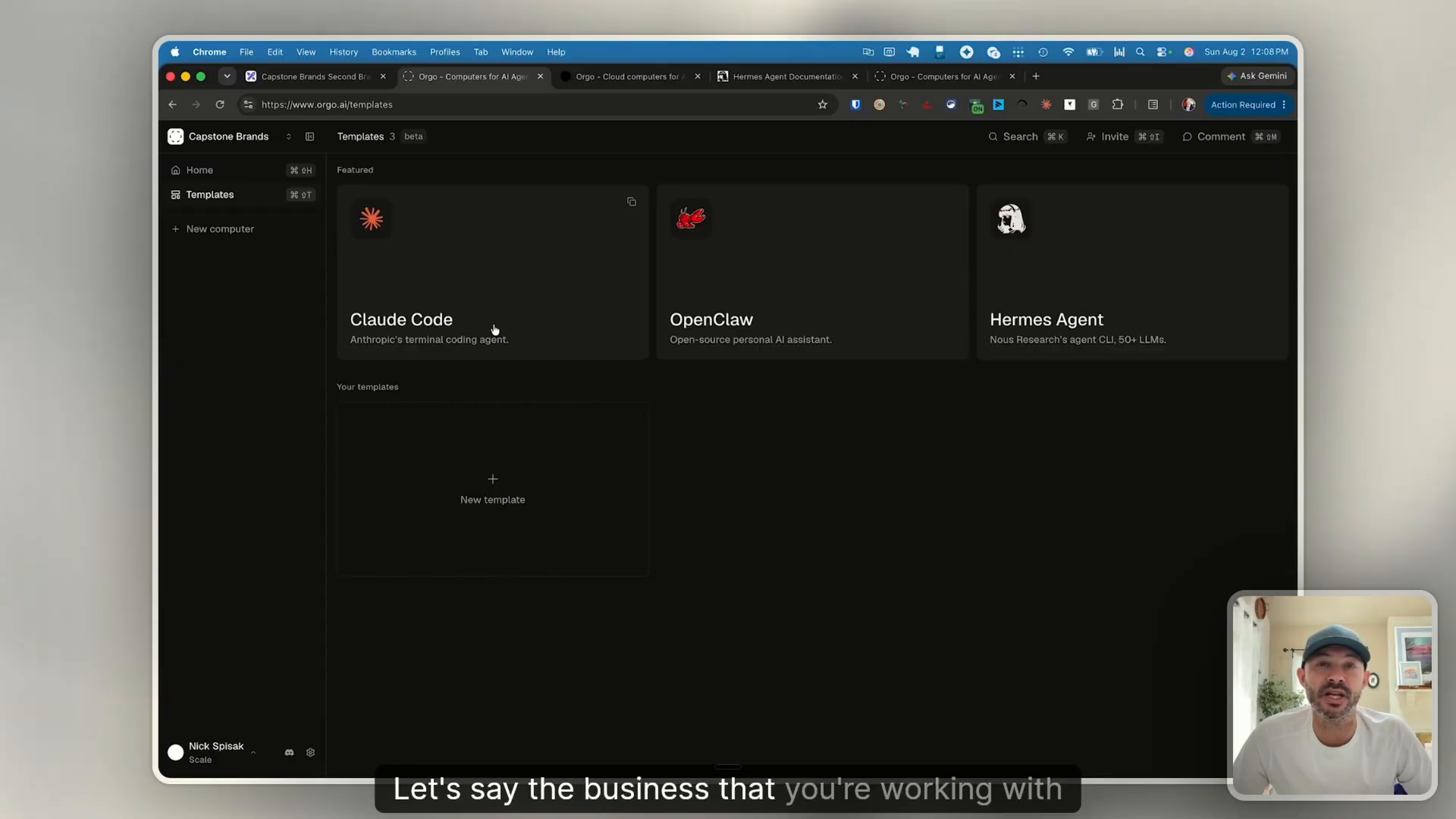
Orgo's agent templates, at 37:25.
Launch a Hermes computer, then set it up from its terminal:
- Run hermes model and sign in. I used my existing Codex subscription instead of pay-per-token API billing.
- Copy Composio's Hermes install prompt, paste it into Hermes, then run composio login.
- Ask it what's on the calendar next week. It found all three meetings.
- In plain English, tell Hermes to install the GitHub CLI and clone the second-brain repo.
Along the way, Hermes first reported that it had no Composio MCP server configured. I told it to use the Composio CLI and read composio --help, and it sorted itself out.
Then I asked the ICP question again. Same answer, from the same file. It also flagged that the ICP note is still marked draft.
The skill that keeps it on your data
While I waited on that answer, I saw Hermes go to the internet before it checked the second brain. An agent that searches the web first hands you generic answers about your own business.
The fix is a skill. I told Hermes:
"Do not go to the internet to get results. Always consult with the second brain first. Please create a Hermes skill that we can leverage over and over again anytime that we need these lookups that includes this updated context and those constraints."
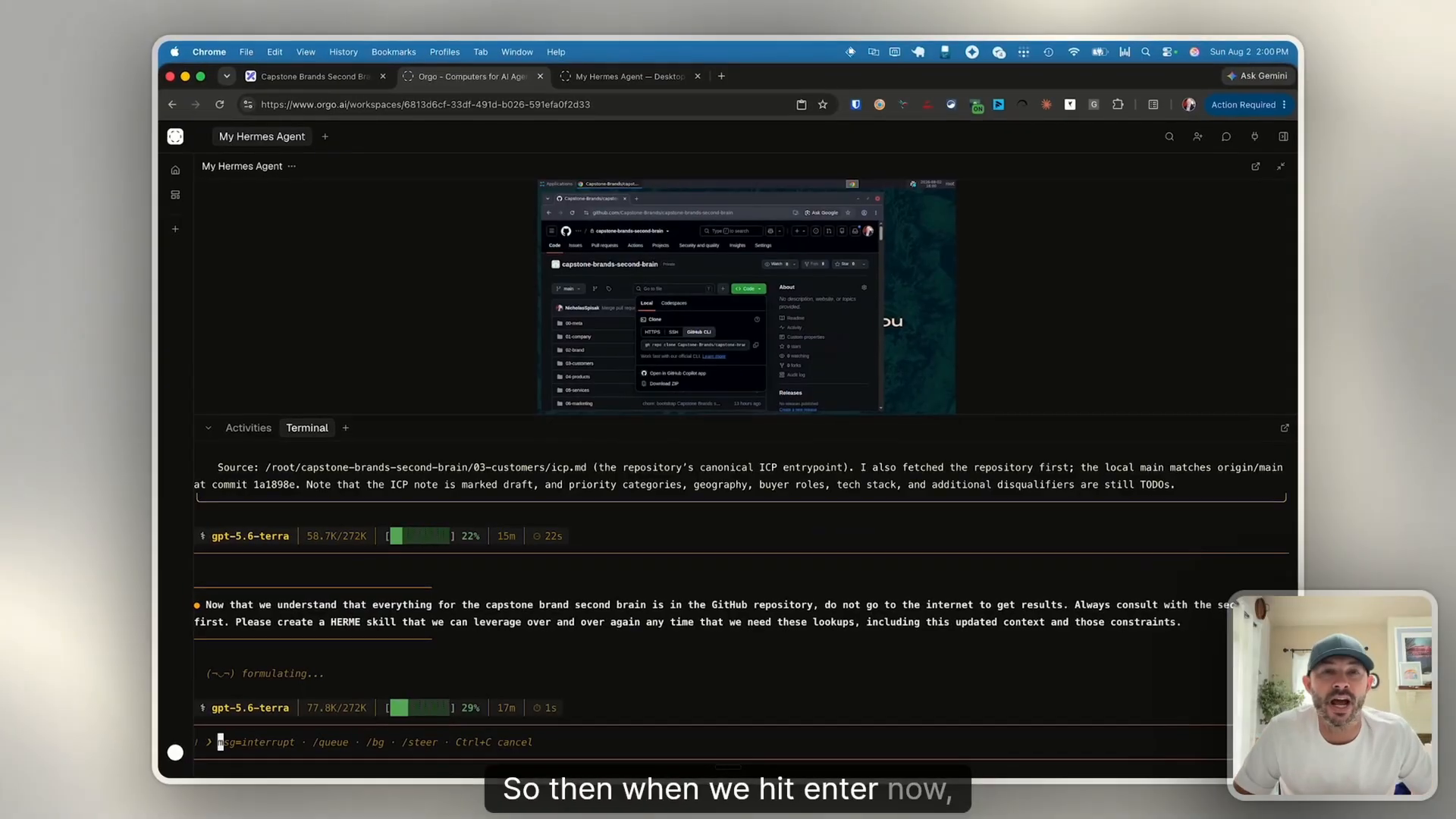
The brain-first skill prompt in Hermes, at 51:55.
Every rule like this becomes a reusable standard operating procedure, so the agent gets more specific to your business each time you correct it.
Put it in Slack
Your team shouldn't need to open a terminal. The last prompt told Hermes to connect to Slack, create a Slack app with itself as the primary interface, add it to a channel called managed agent in the Capstone Brands workspace, and set all of it up on its own with Chrome and computer use.
It hit one snag. Slack needed a sign-in, so I logged in on the Orgo computer and told it to continue. From there it wrote the app manifest, registered the app in the workspace, created the channel, and tagged itself to test the connection.
Hermes building its own Slack app with computer use, from 55:05.
The final test came from the end user's side. I tagged the agent in Slack and asked for the ideal customer profile. It used the Capstone Brands second-brain skill it had created, read from the repo, found the file in the customers directory, and answered: an e-commerce brand generating at least $100,000 in monthly sales across all e-com channels. It cited the file it used.
The final test in Slack, from 58:21.
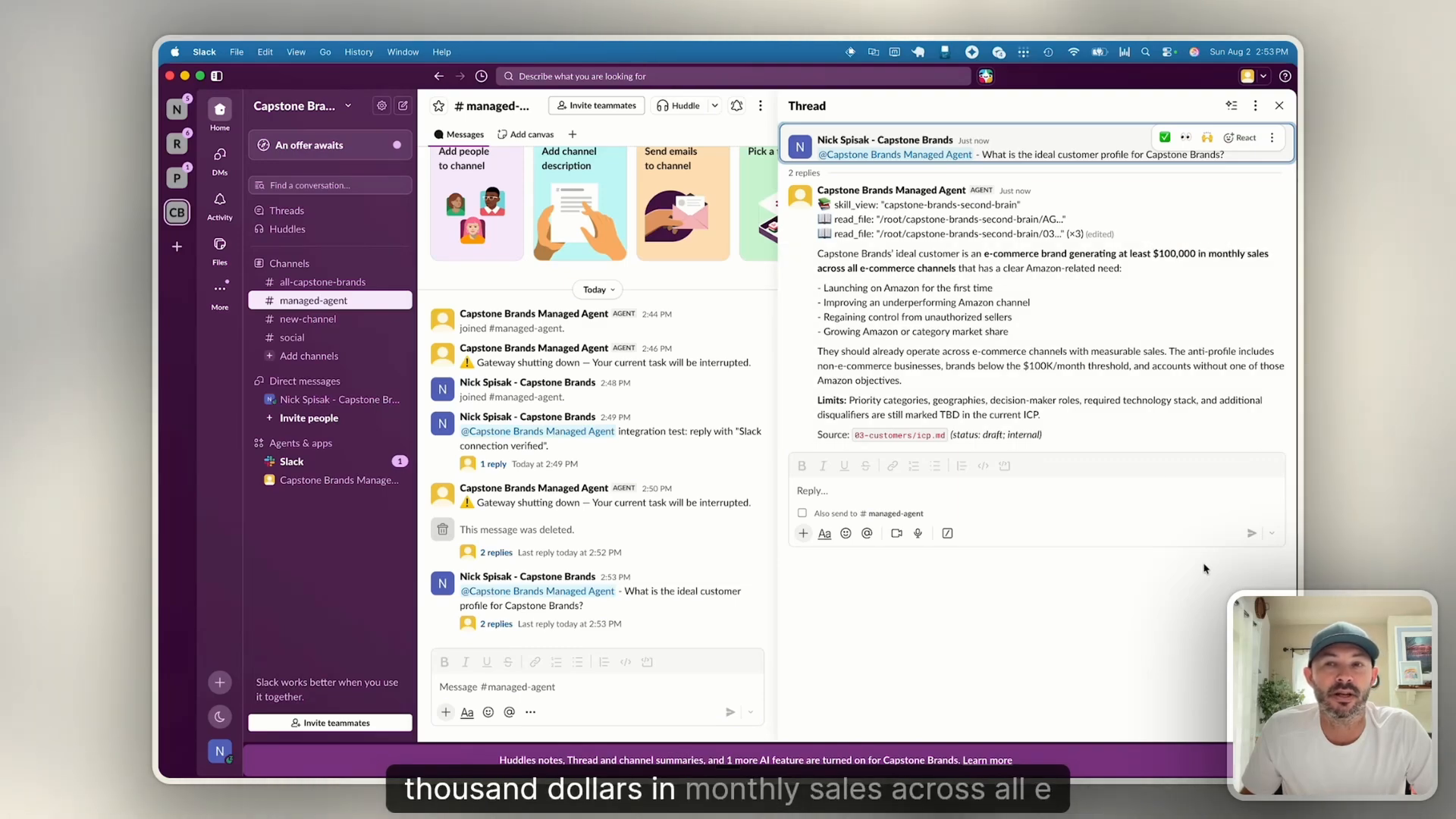
The answer, with its source, at 59:12.
Where to start
The goal is your first practical example within 7 days. Start with the build:
- Create a free GitHub organization and a blank repo, and clone it with GitHub Desktop
- Bootstrap the knowledge base template with Codex or Claude Desktop
- Connect the apps you use every day in Composio
- Ask two questions you already know the answers to
Once those answers come back right, move it into Hermes on Orgo, add the brain-first skill, and give your team a Slack channel.
If you'd rather start from the files, my free AI Second Brain Starter Kit walks through the folder structure, the AGENTS.md rules file, and the note template available in the free AI Operator Hub Skool:https://www.skool.com/aioperatorhub
Watch the full course here: https://www.youtube.com/watch?v=ZTE3Hm6mP8c